Many local governments require “route notifications” or “route approvals” after certain permits have been purchased for a particular vehicle. This is commonly seen with Michigan County Road Commissions and their seasonal permits.
In these instances, a base permit, typically without a route, is purchased. While the permit is still valid, the vehicle can make as many moves as needed without having to purchase another permit. Once restrictions go into effect, route notifications are required. Oxcart has developed a feature for applicants to submit route notifications quickly and easily.
1. The applicant must first purchase a permit eligible for route notifications (RN). Only those permits will have the RN option available. These are considered the base permit. Not all municipalities will require route notifications.
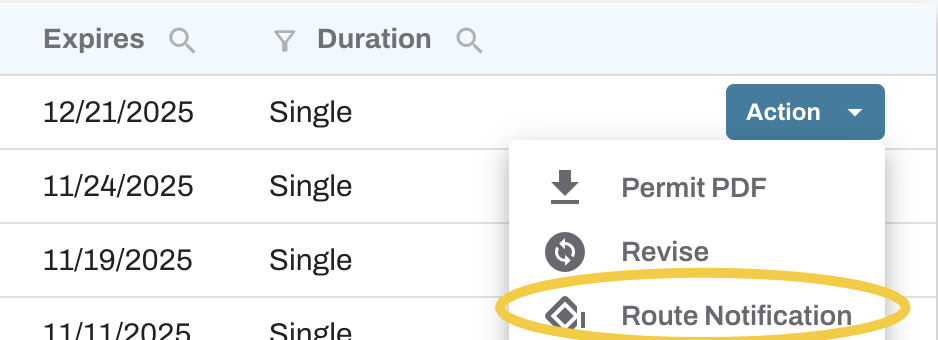
2. Once restrictions go into effect, locate the original permit from the Approved Permits table on your dashboard, click on Actions at the far right and select Route Notification. If Route Notification is not an available action, please contact the municipality to confirm their requirements.
3. When you click on Route Notification, a short version of the original permit will be launched. Complete the required fields, including the Requested Route, and click “Submit." There is no fee for RNs, so no payment details will need to be entered.

4. Once the RN is approved by the municipality, a notification will be sent via email along with a PDF copy of the RN permit. The RN will be assigned a new sequential number based on the original permit number. The first RN will be “-RN1”. The second RN will be “-RN2”, the third “-RN3” and so forth. Unlimited RNs can be submitted to the original permit. A thread of all RNs can be viewed by clicking the Revisions icon under the original permit number.