If you are an individual or a company and need a FREE Oxcart account to obtain a local permit, follow the easy steps listed below. You only need to sign up once to apply for permits from any local government who utilizes Oxcart Permit Systems!
Oxcart works best using Mozilla Firefox, Google Chrome, Apple Safari or Microsoft Edge. Oxcart does not work with Internet Explorer. Please make sure your browser is updated to the latest version and your browsing cache has been cleared.
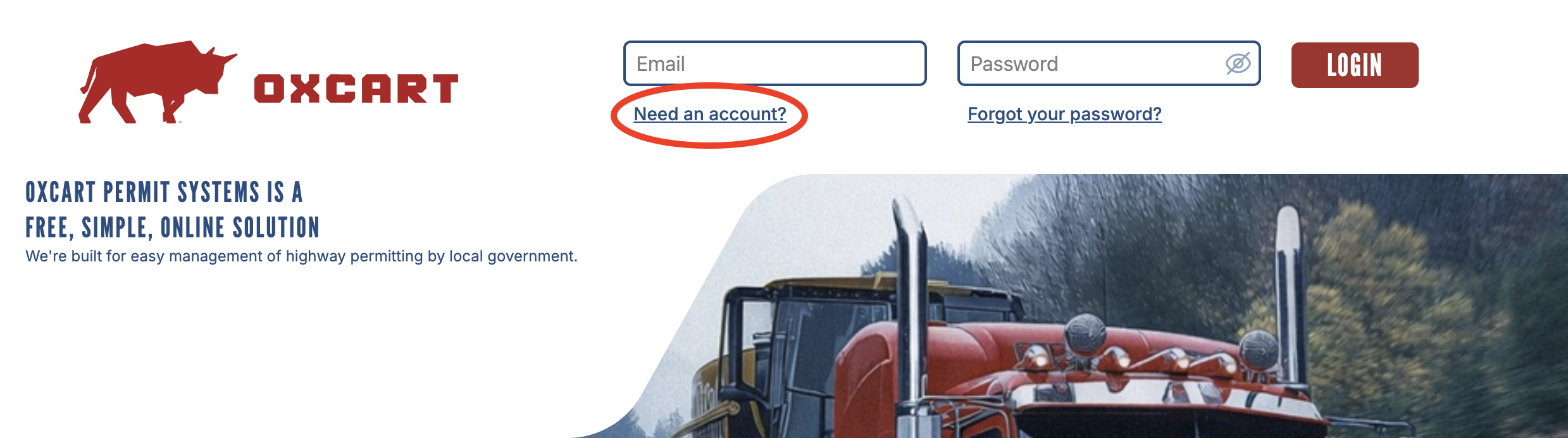
1. Visit www.oxcartpermits.com. Click on “Need an Account?” at the login screen.
2. Fill out the information in the fields listed. The boxes marked with an *asterisk* are required. Your Account Name will be your name or Company Name, if applicable.
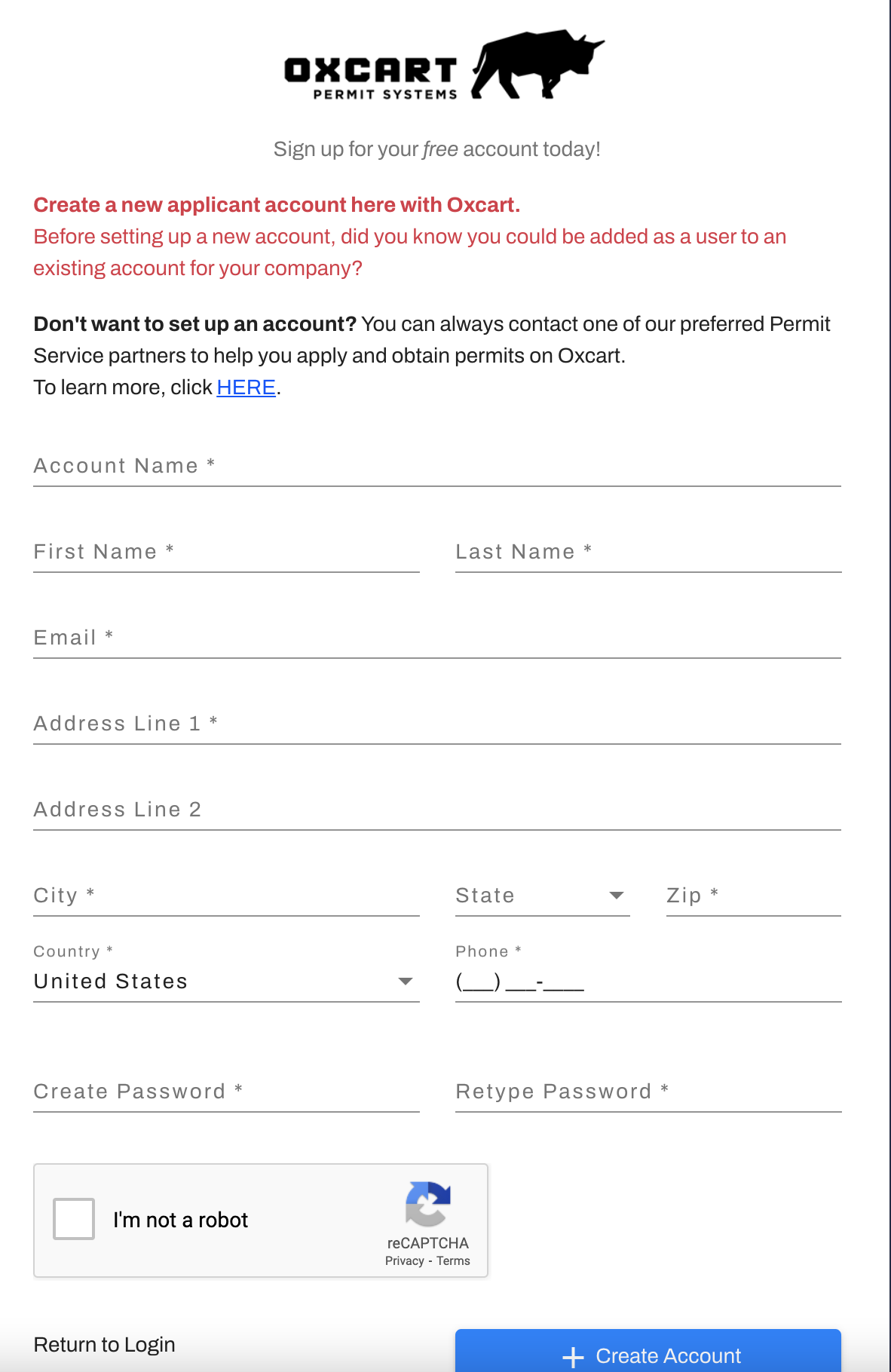
3. Click the “Create Account” button.
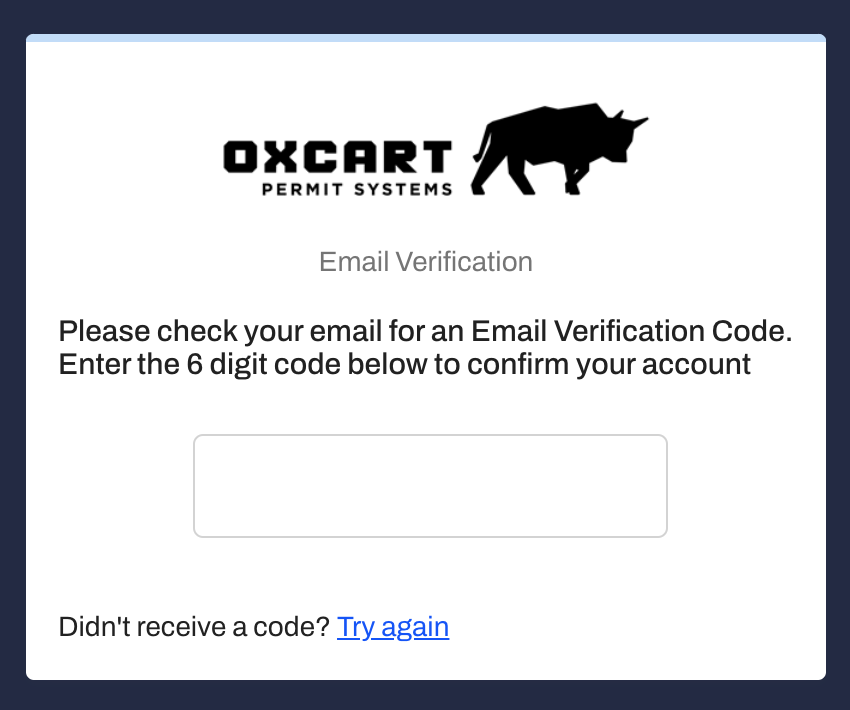
4. Login to your email account to receive the verification code and confirm your account.
*** Check SPAM or JUNK folders and whitelist notifications@oxcartpermits.com ***
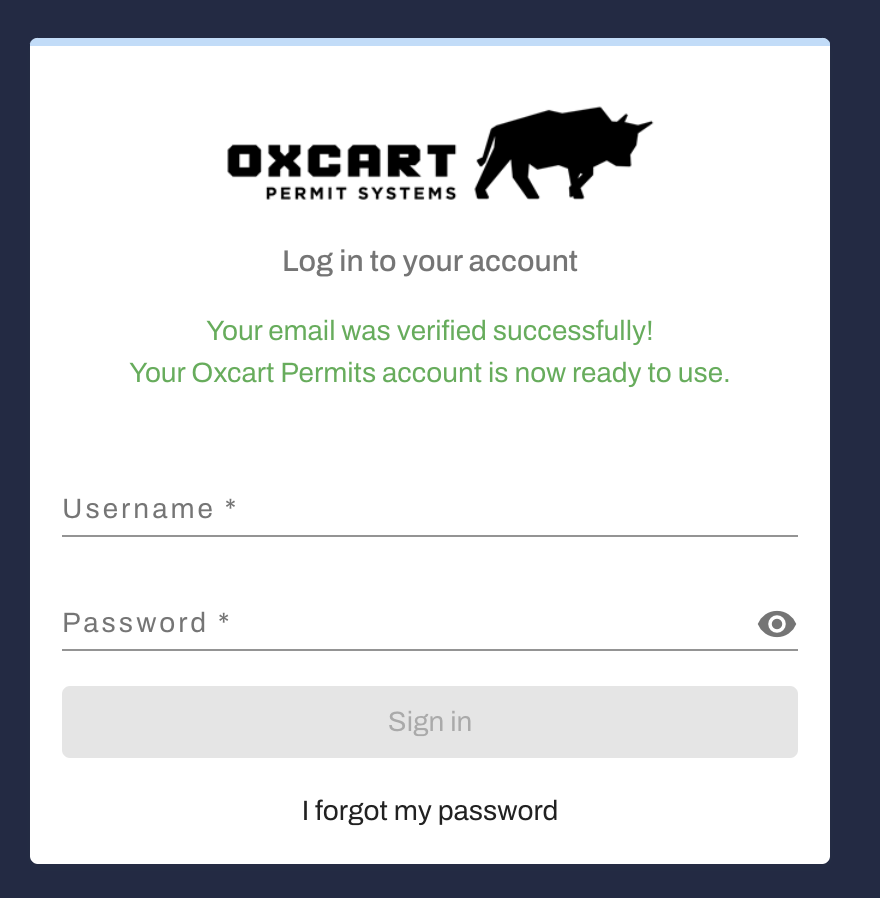
5. Once the verification is complete, you are ready to login and apply for local permits through Oxcart Permit Systems! Please note: your username is your email address.