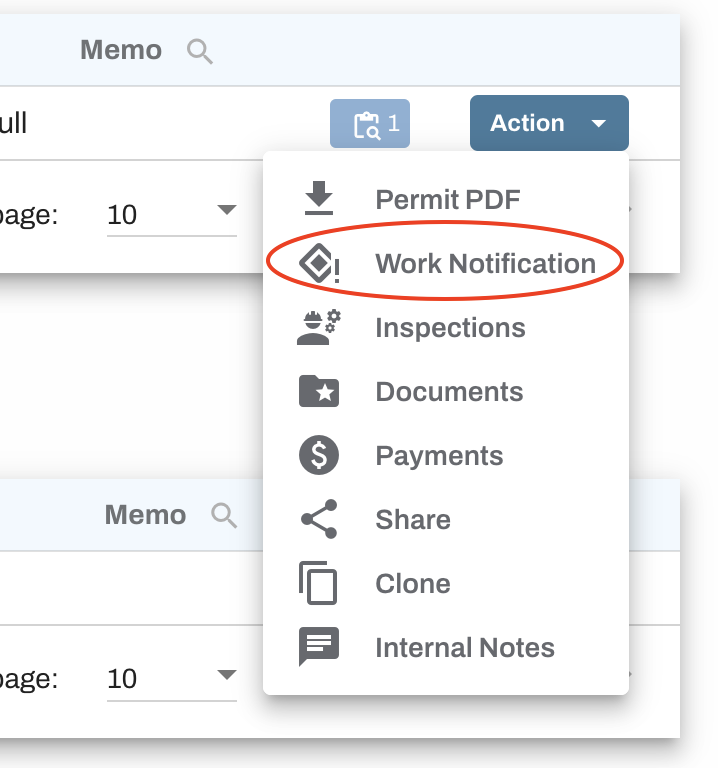
Work notifications (WN) are free of charge and you may submit as many as needed on your base permit. To submit a work notification, login to your account and locate the base permit in your dashboard under "Approved Permits". Click the blue "Action" button and select "Work Notification".
This will open an application with the base permit displayed for reference and any Work Notification (WN) fields available to be completed. Specific WN fields will vary by county. For specific questions on filling out the application, please contact the municipality issuing the permit.
After you have filled out all fields, hit Submit Work Notification at the bottom of the application. You will see the WN in your pending permit table with a flag indicating the WN submission.

The municipality will review your submission as it would a normal permit application. When approved, you will receive an email notification and the approved WN will appear in the Approved Permits table on your dashboard. The WN receives a sequential suffix added to the original permit number (first WN = -WN1, second = -WN2, etc.). View the full WN thread by clicking the Revisions (REV) icon for that permit.