

Applicants have the ability to communicate directly with municipalities through the Message Center. This feature provides a platform for sending and receiving messages, ensuring that all correspondence related to permit applications is organized and easily accessible.
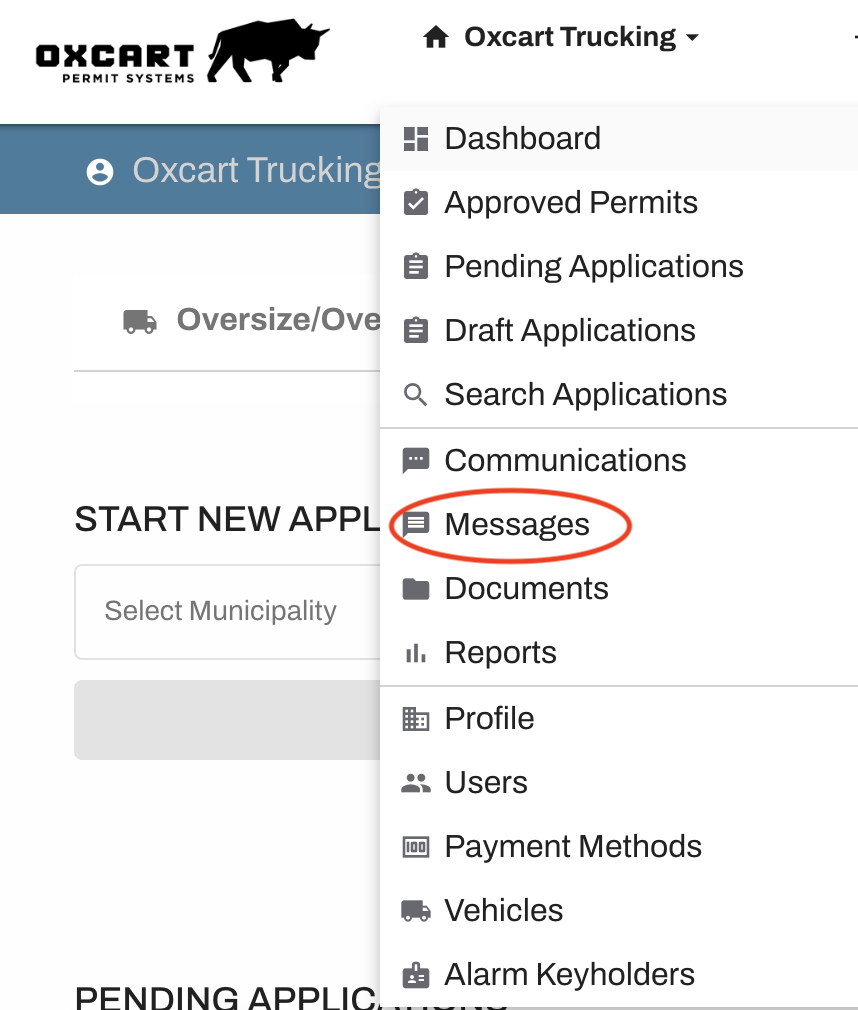
To get started, hover over your Account menu at the top of the screen and click on Messages.
Select "Compose" to open a new message template.

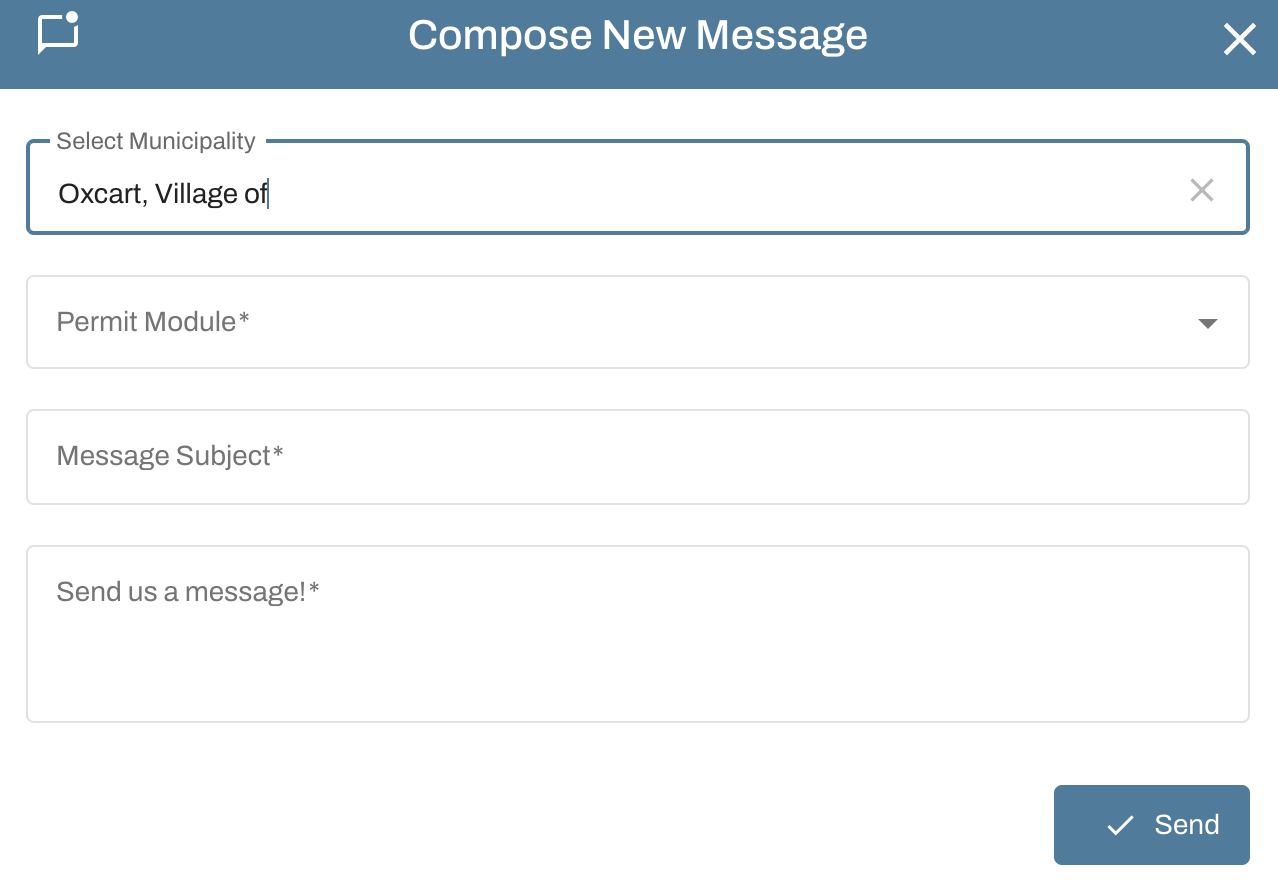
Select the municipality from the dropdown list.
Select which permit type the message relates to.
Seasonal permits will fall under the Oversize/Overweight category.
Driveway permits will fall under the Right-of-Way category.
Enter the message subject and compose your message. When all fields are filled out, click Send.
Important information about the Message Center
When a message is sent, the recipient will receive an email from Oxcart containing a link redirecting them to the message.
When new messages are waiting to be read, a red numbered notification will appear over the bell in the top right corner of the screen. The message flag will only clear when the message has been read.
Message threads can have an unlimited number of replies.
Messages can be searched using the Filter option.
Messages are saved on Oxcart servers indefinitely, primarily to comply with Freedom of Information Act requests. Please ensure no personal or financial data is transmitted and maintain a professional tone in all communications.
Messages cannot be sent to specific users, municipalities cannot message other municipalities, and applicants cannot message other applicants.