Log in to your Oxcart account and start a new application for the municipality you need a permit from. Fill out all required information and click "Submit Application".

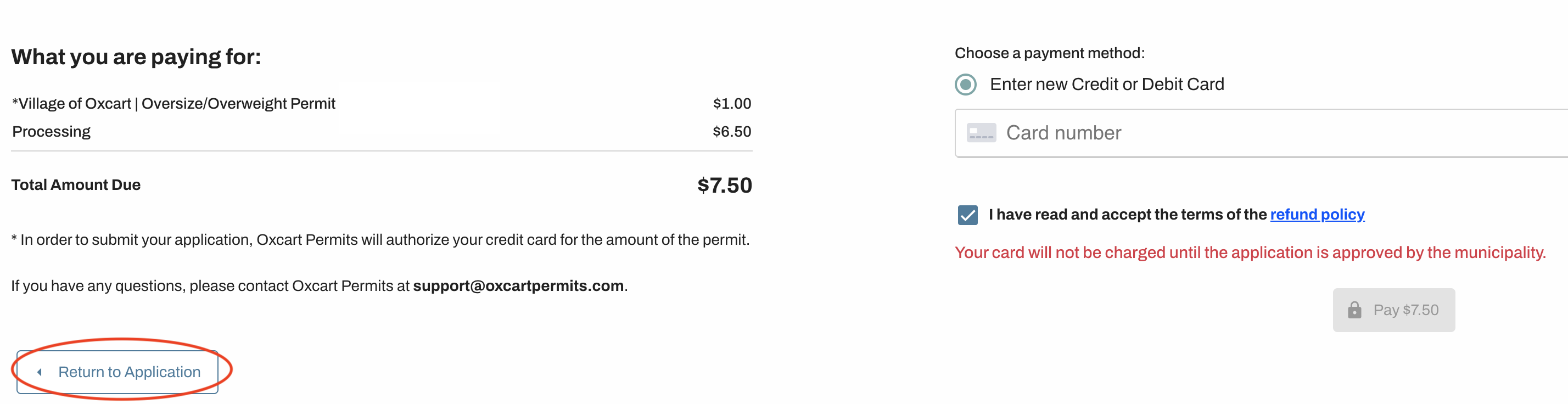
You will be directed to a payment screen that will show you the cost of the permit and fees. Note the total amount due without entering your credit card information. Then, click “Return to Application” at the bottom of the screen and save your permit application without submitting. Do not to use your browser’s back button.
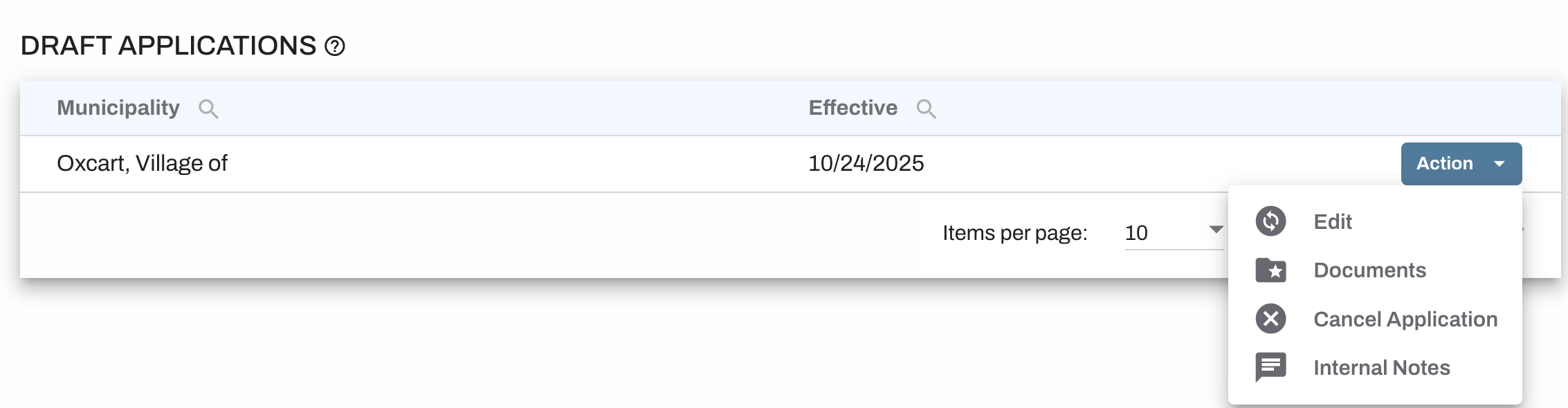
Saved applications can be found on your dashboard listed under the Draft Applications table. Use the Action menu on the right to edit, review documents, cancel the application, and/or add an internal note.