

Oxcart allows you to add multiple users to the same account. You can also customize user permissions to distinguish between those who can edit account details and approve or deny permits, and those with view-only access. Municipal administrators can manage users in a few easy steps.
1. Hover over Manage at the top of your dashboard and choose Users from the dropdown menu.
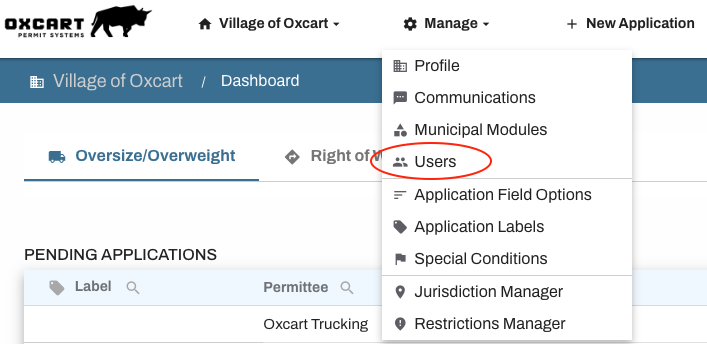
2. Here you'll see a table of all current users on the account. Click the blue +Add User button.

3. Complete all fields, including permit module permissions before Saving User. To learn about user permission levels, click here.
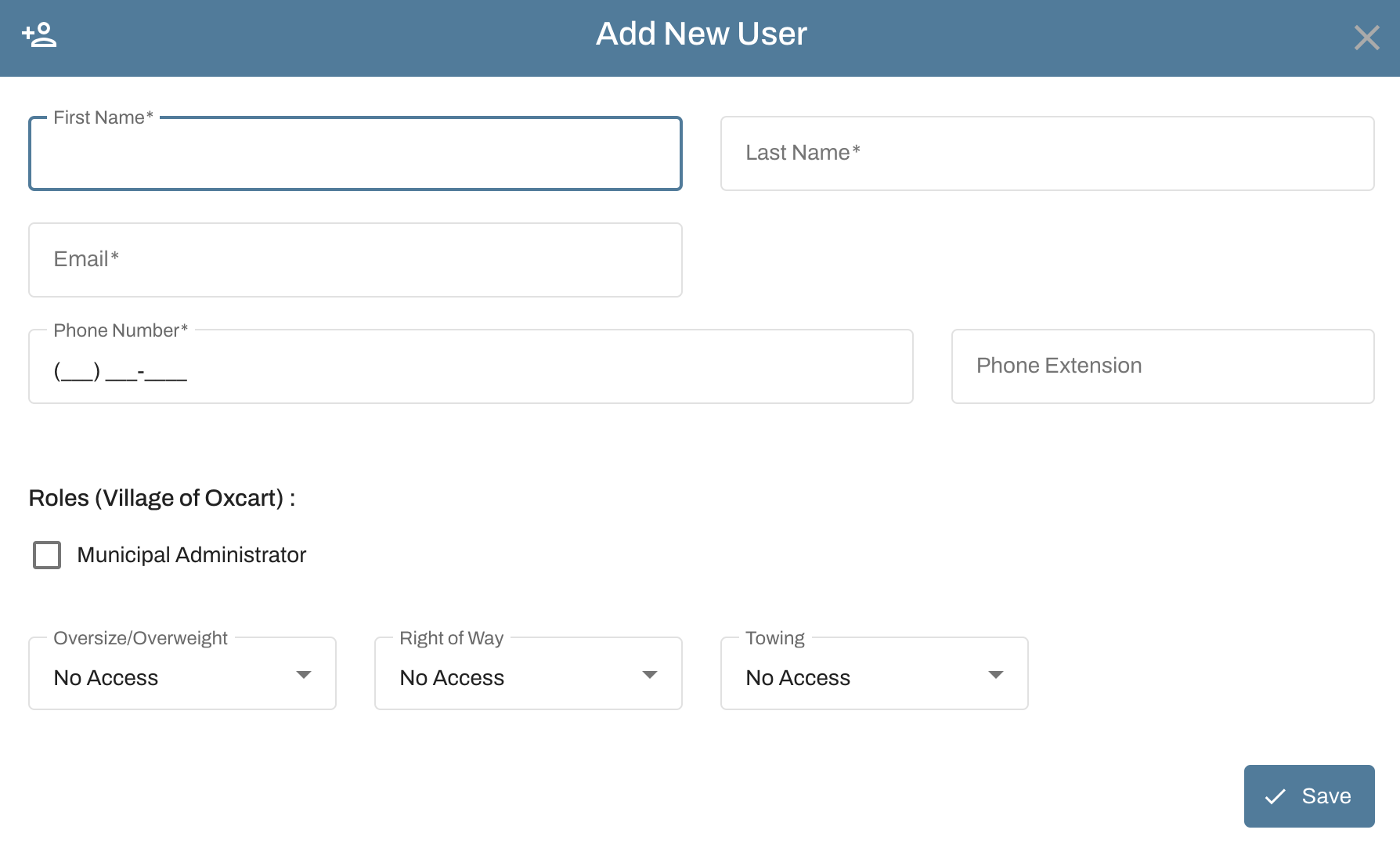
IMPORTANT INFORMATION ABOUT NEW USERS:
Emails can only be associated with one Oxcart account.
New users will be sent a time-sensitive 6-digit one time passcode to confirm their email. They will then be asked to set their password before logging in.
Users can be edited at any time.
After adding a new user, please visit the Communications page to set notification preferences.