

Applicant administrators and managers can easily store an unlimited number of credit cards to speed up the check out process. We accept Visa, Mastercard, American Express, Discover, and Diner's Club.
First, hover over the account menu at the top of the page and select Payment Methods.
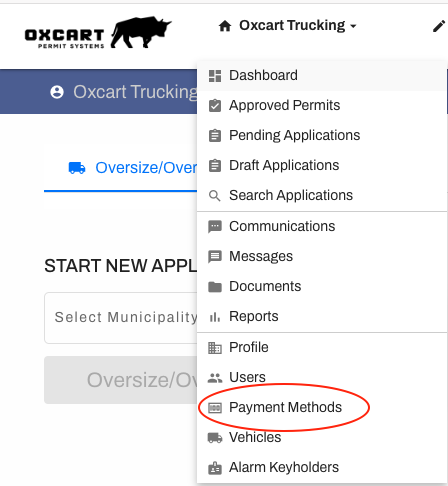
Next, click on "Add New Payment Method"

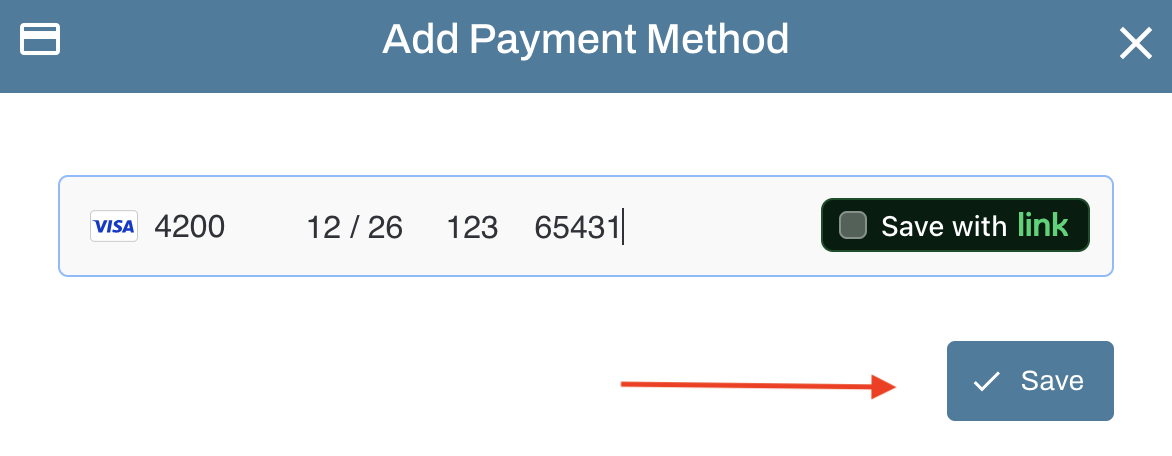
Fill in the required fields (credit card number, expiration date, cvc, and billing zip code) and click Save.
IMPORTANT INFORMATION ABOUT CREDIT CARDS:
Oxcart Permit Systems complies with all Payment Card Industry Data Security Standards (PCI DSS) for safety and security with credit card payments.
Oxcart does not store any credit card information. All payment data is transmitted directly to our payment processor using strong encryption; card details are never handled or retained by Oxcart Permit Systems.