

Your dashboard displays permits while they are active and for 90 days after expiration, however Oxcart stores your entire permit history within your municipal account. If you need to locate an approved permit older than 90 days you can easily navigate to those from the dashboard.
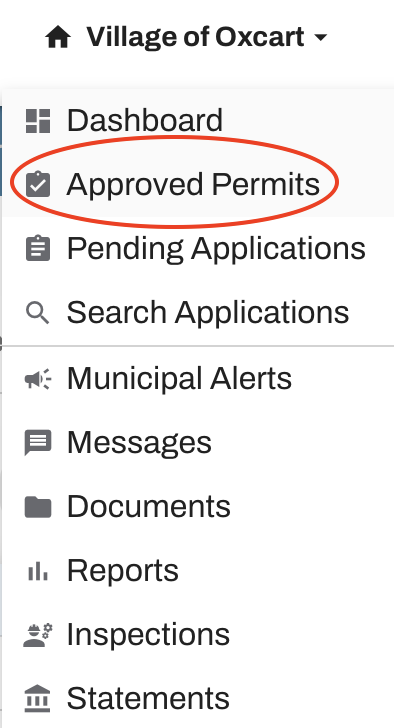
To get started, hover over your account name and select Approved Permits from the dropdown menu. This section provides a complete list of all permits that have been approved under your account, making it easy to review and manage them in one location.
Tips for searching approved permits.
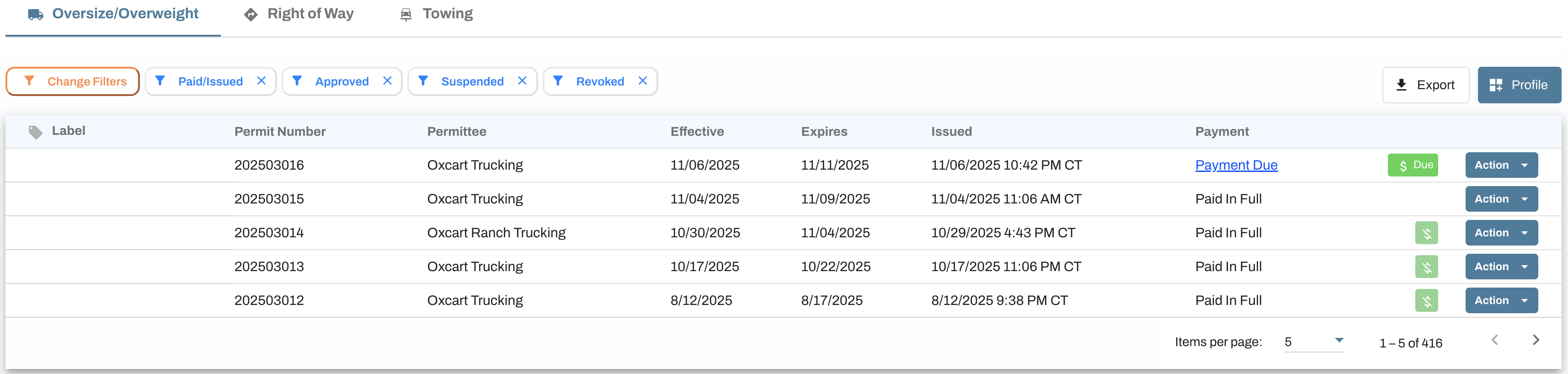
Click on the module to easily navigate between permit types.
Customize your table by clicking the orange Change Filters button. We recommend saving your search by clicking the blue "Profile" button before navigating away from the page.
Sort columns by hovering over the column name (permit name/permittee/etc) and clicking the arrow.
Jump to a page or change the number of items per page using the fields along the bottom of the table.
Available actions for each permit will be listed under the Action menu.
Add labels directly in this table to assist with permit tracking.
Export your results to a CSV file.