

At times, there may be a need to allow other Oxcart users, who are not a user on your account, to view your dashboard and take action on permits and applications. This could be the case when you share a vehicle fleet or work at sister companies for instance. This is different than sharing permits with a user in a different account, because once the non-account access user is added, they can access your dashboard without you taking additional steps to share anything. They will be able see all the approved and denied permits on your dashboard, but their access and capability will be limited.
Non-Account Access allows:
Viewing the dashboard, but not draft applications
Downloading permit pdfs
Accessing documents, but not adding or editing documents
Paying for a permit, but not with a saved card - a card will have to be entered manually
This type of access does NOT allow applying for a permit or editing an application.
To add a Non-Account Access user:
A non-account access user can be added to your account at any time. To get started, hover over the account name and select Users. Then click the Non-Account Access button.

Add the email address for the user you wish to grant access to and select the permit module from the drop down menu.
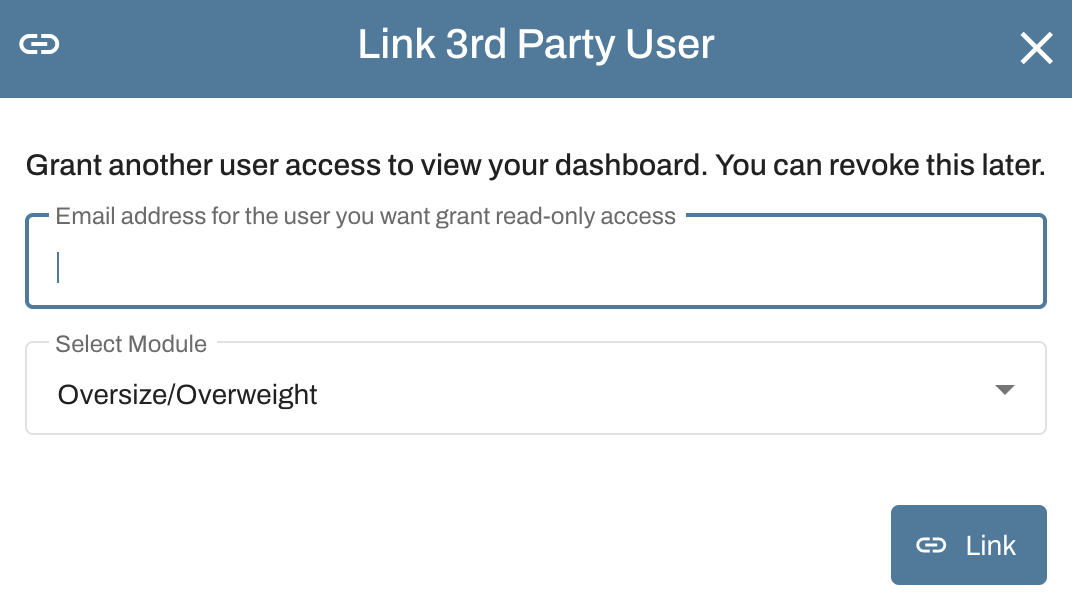
When you are done, click "Link". You will be brought back to the User table where you can confirm your Non-Account Access User has been added.
If you wish to grant access for multiple permit modules, you will need to repeat this process for each module.
To remove a Non-Account Access user:
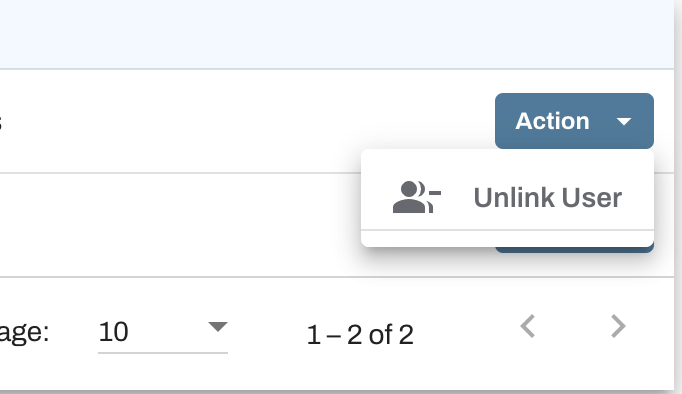
A non-account access user can be removed from your account at any time. To get started, hover over the account name and select Users. Click on the Action button and select Unlink User. This will remove the user from ALL permit modules.
How do I access my linked account?
Login to Oxcart. Using the Account drop down menu, hover over Linked Accounts. This will open another dropdown listing all linked accounts. Choose the account you wish to access.
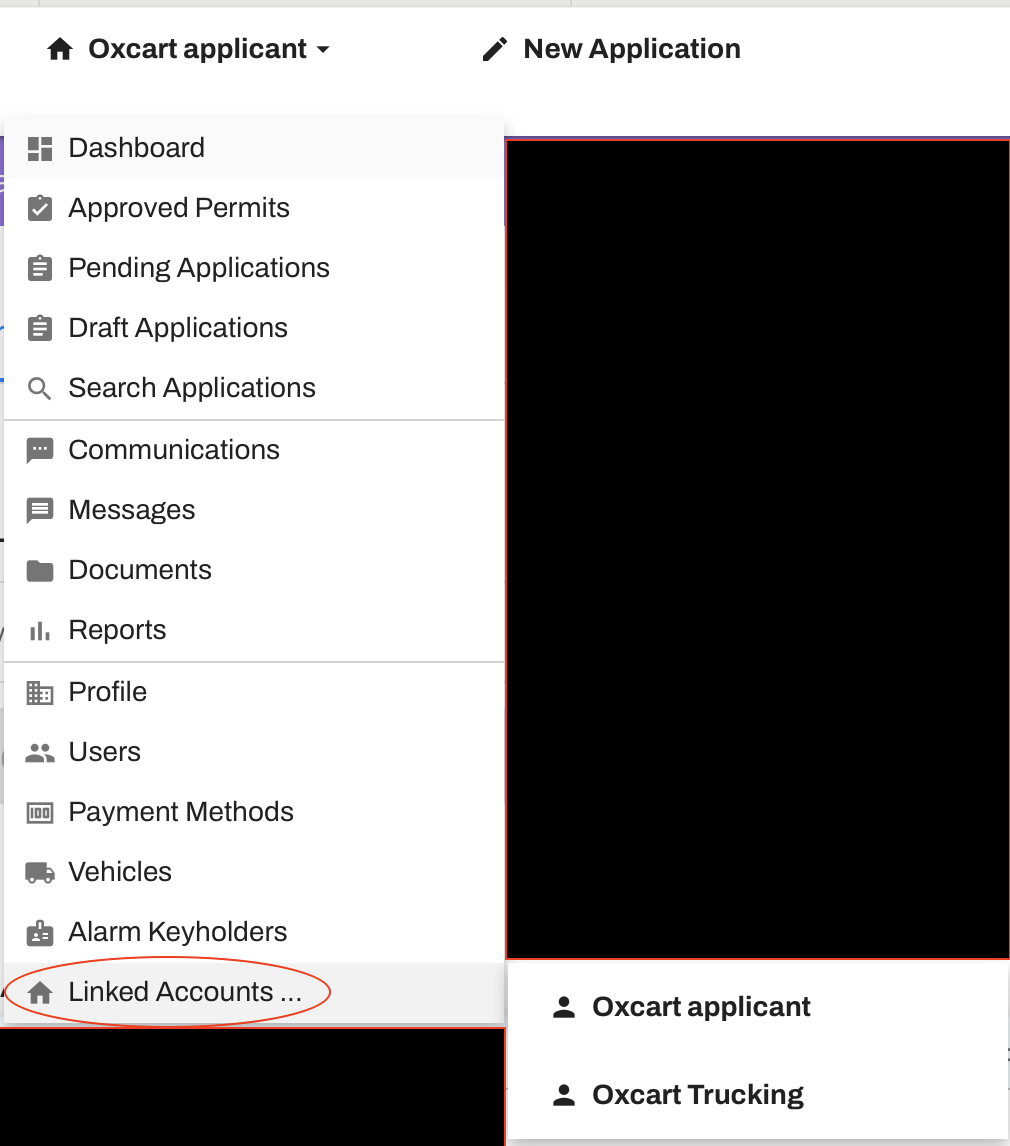
When done, follow the same procedure to return to your main Oxcart account.