

Municipal administrators and municipal managers can login to their Oxcart account and update the account information by hovering over "Manage" and selecting "Profile."
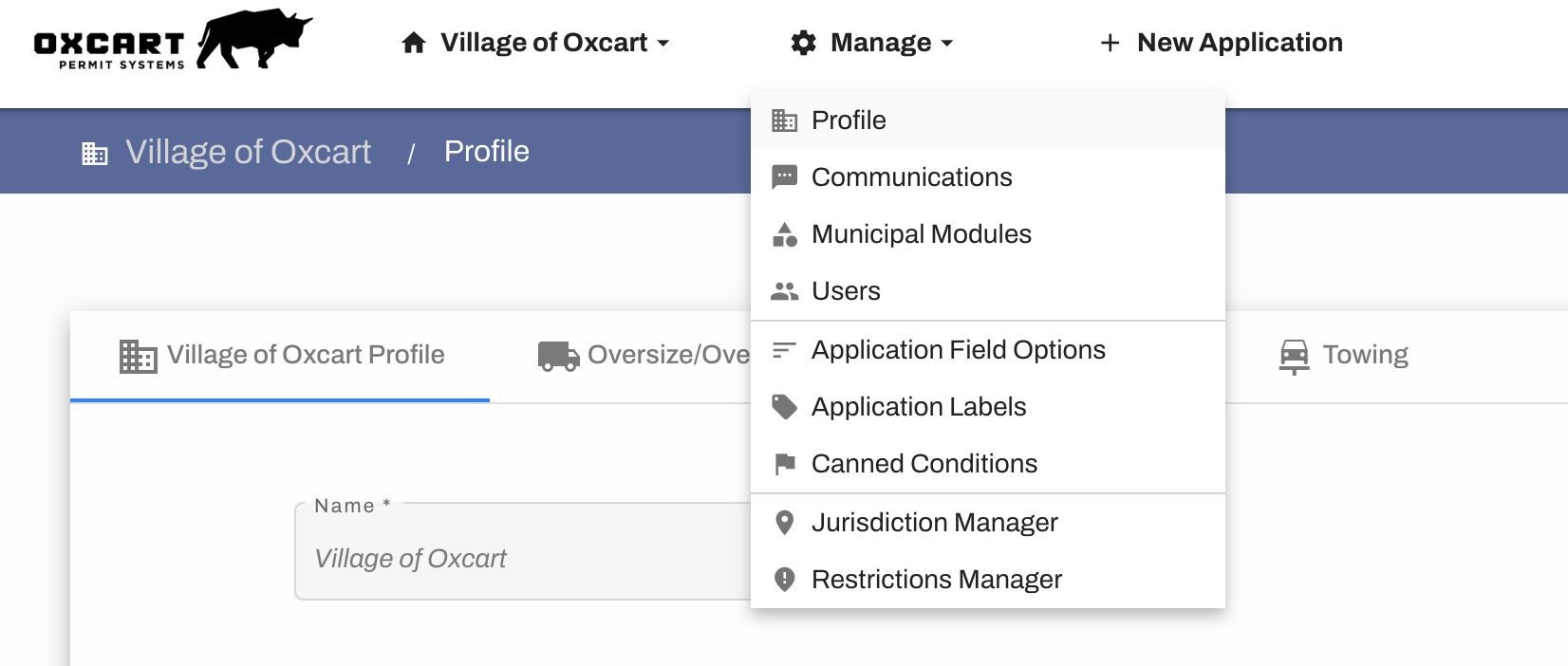
MUNICIPAL PROFILE:
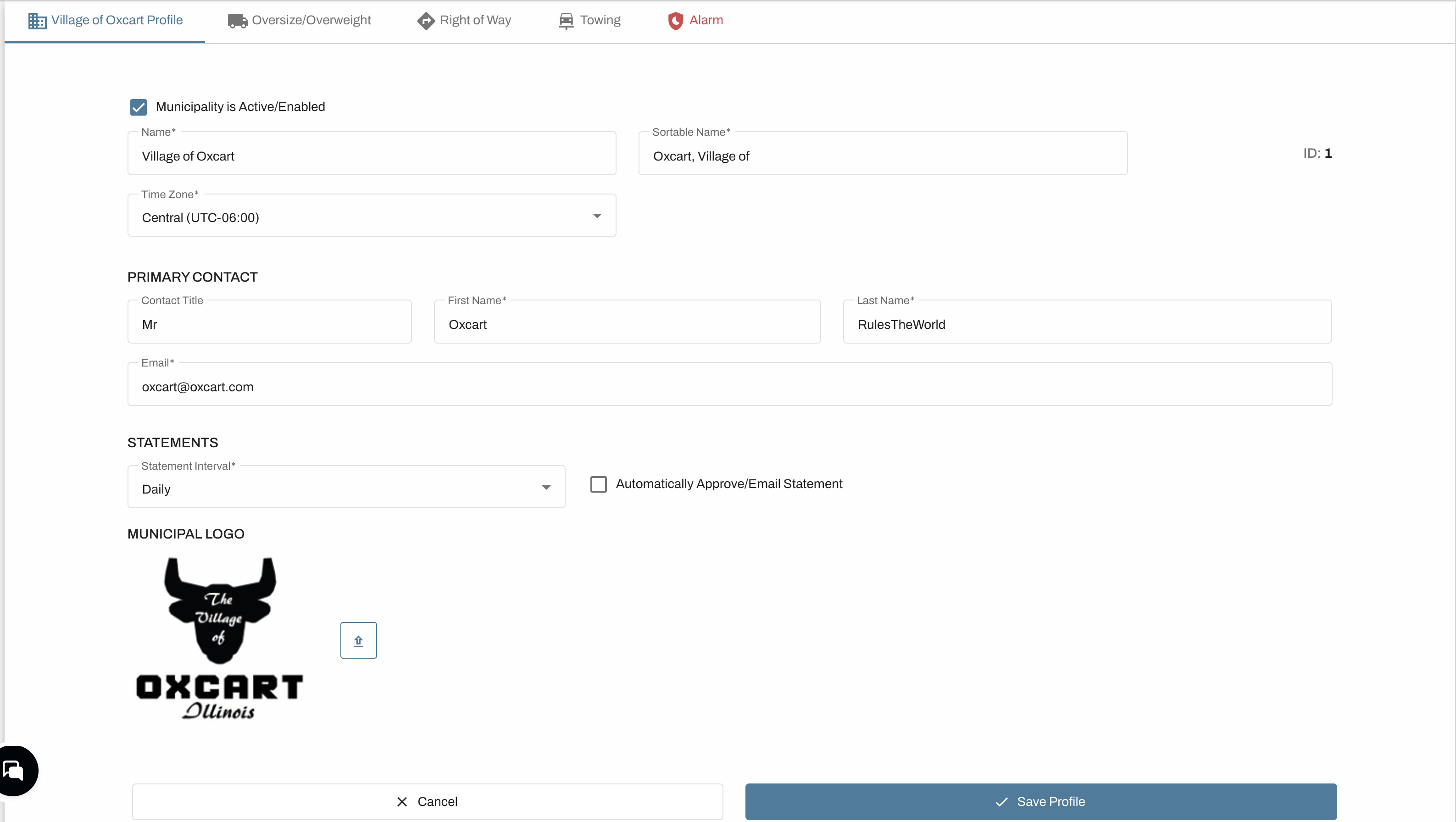
On the main profile page, you will see your name, timezone, and logo. These fields are not modifiable and you will need to reach out to Oxcart to make those changes. Please note a primary account contact is required. After updating any necessary contact information, be sure to click the blue "Save Profile" button before navigating to another page.
PERMIT MODULES:
Your municipal profile is broken down into permitting modules (i.e. Oversize/Overweight, Right-of-Way, Towing, or Alarm). You will see a tab for each module enabled on your account. On each module tab you will see the municipal address, Reply-To email field, default revision fee, and excluded days/holidays. Each of these can be managed on each individual module.
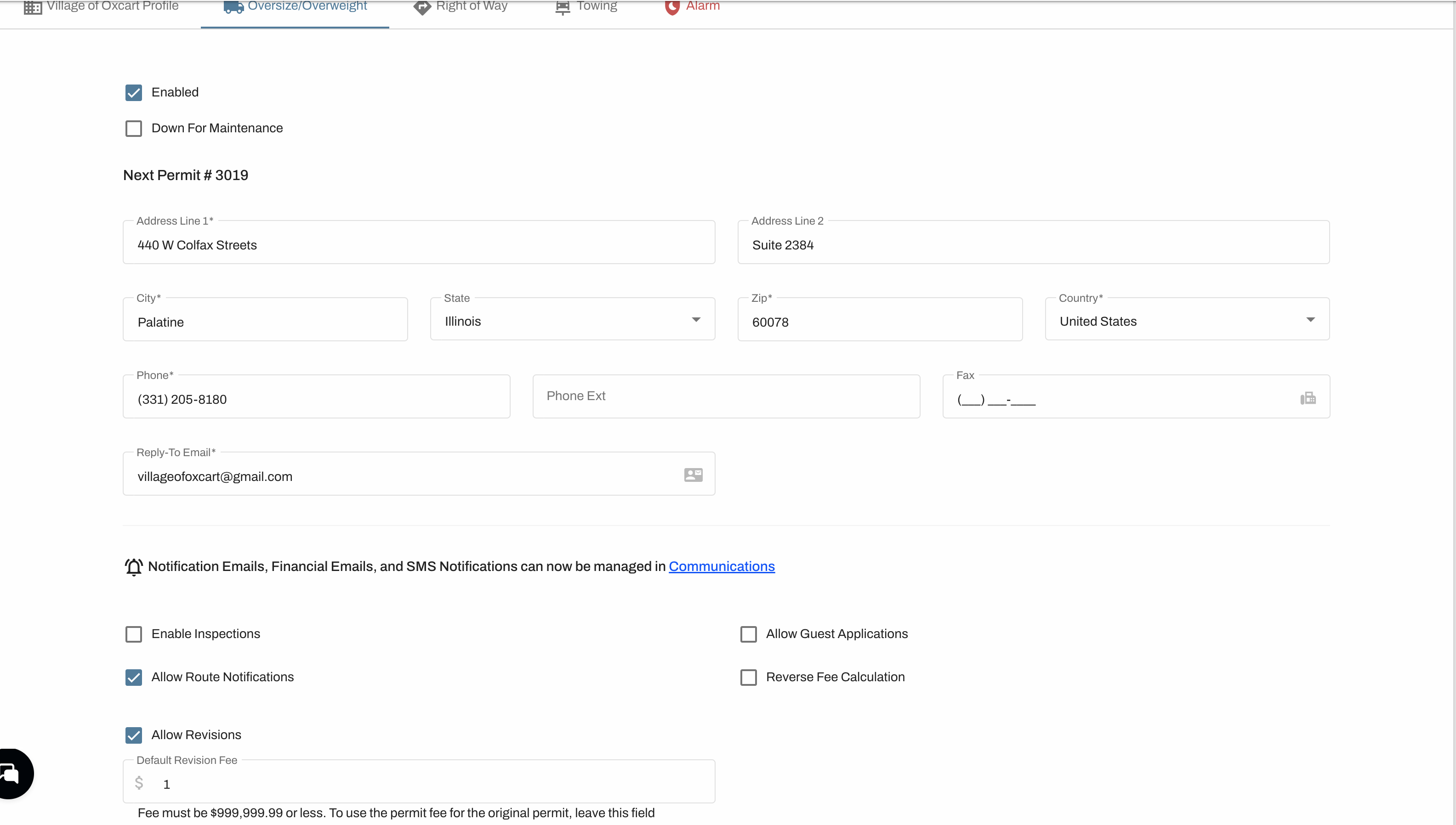
The Reply-To email field can only list one email address. The Reply-To email is the email address notifications will go to if an applicant uses the Message Center or replies to a system generated email about their permit.
The default revision fee field can be left blank if you prefer to default to the price of the original permit. Municipalities will still have the option to change the revision fee prior to approval.
Excluding Days of the Week / Holidays will extend the permit expiration dates.
On the Right-Of-Way module (if enabled), you can customize an approval disclaimer for your employees. This must be programmed by Oxcart and can be set up by emailing support@oxcartpermits.com.
Be sure to click the blue "Save Module Profile" button before navigating to another page.