

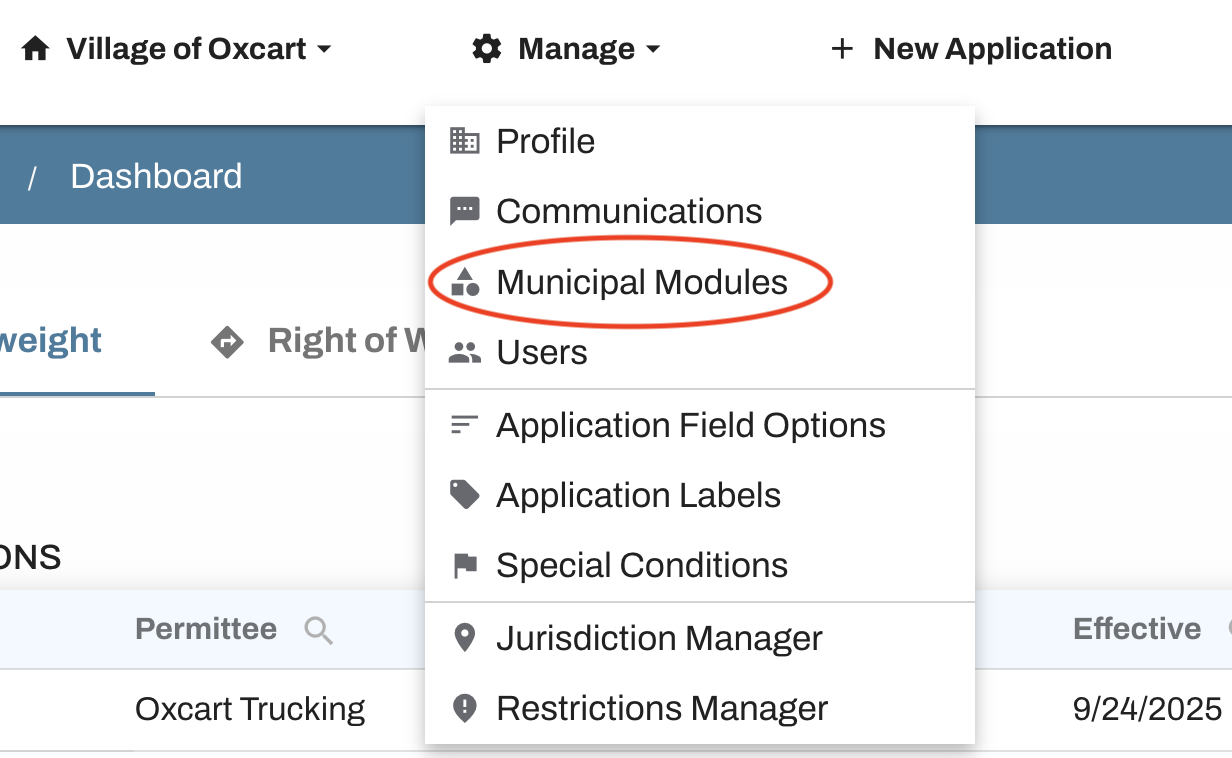
If you would like to exclude weekends or holidays from your permits you can do so in your Municipal Modules. Click on Manage at the top of your dashboard and then select "Municipal Modules" from the dropdown menu.
Be sure to select the correct permit module, scroll to the bottom and check off any boxes for days or holidays you'd like to exclude.

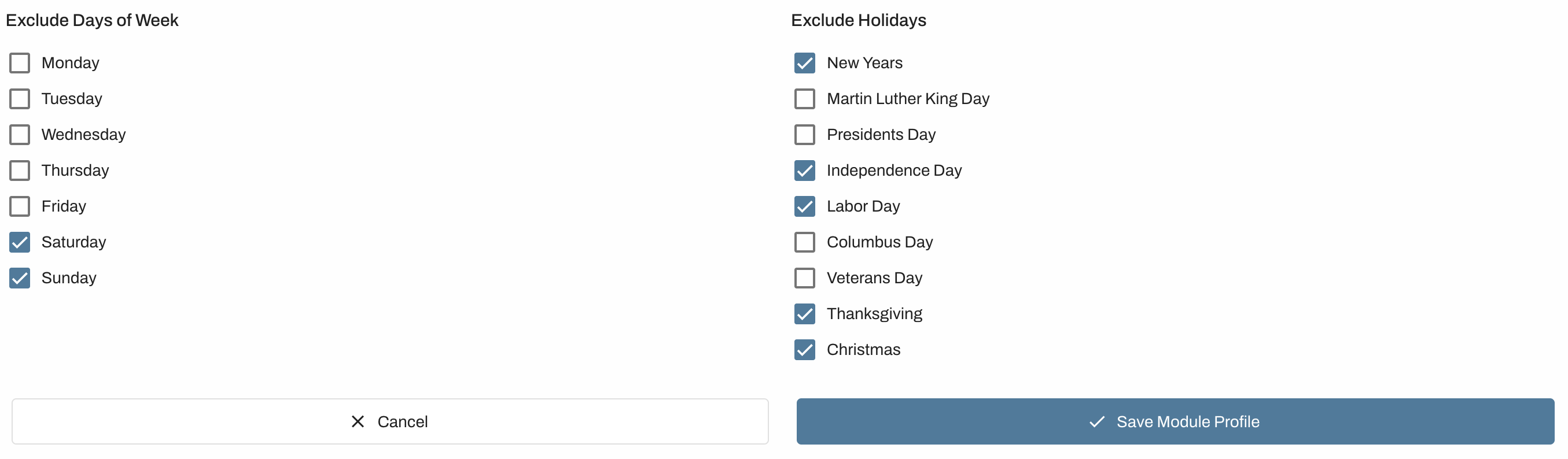
If any days are checked under the excluded days section, the system will automatically skip those when it calculates an expiration date for your permits. Changes made here are global across all permits in your account. If you offer multiple permit types, such as OSOW and ROW, you may set different excluded days for each module.
This may be updated or changed at any time. Make sure to save any changes you make!