

To give users greater flexibility in how they receive updates throughout the permitting process, Oxcart has built a comprehensive communications platform that can be managed by both account admins and basic users.
Due to federal communication regulations, as well as requirements from phone carriers and email providers, all Oxcart users must now actively opt in or opt out of communications.
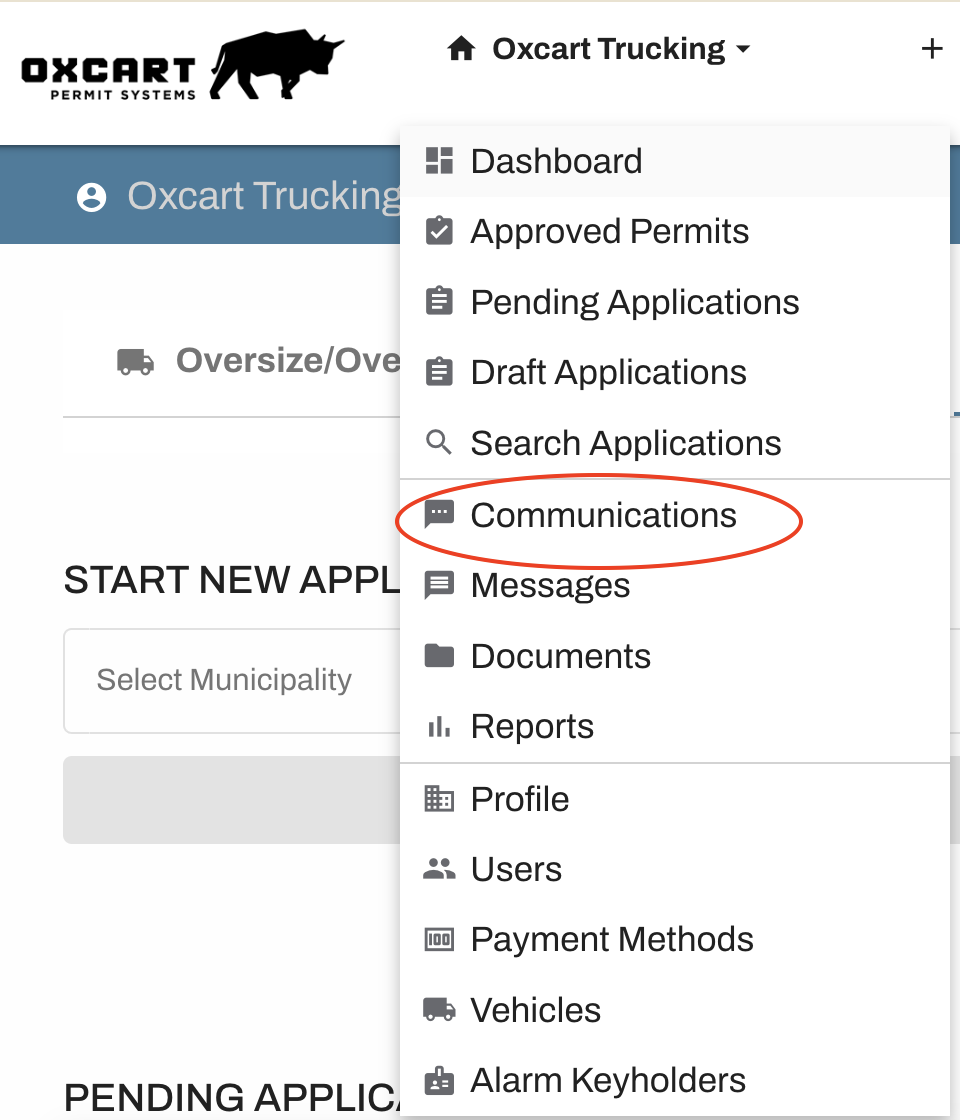
To begin, log in to your Oxcart account by visiting www.oxcartpermits.com. Once logged in, hover over your account name at the top left of the screen and select "Communications" from the dropdown menu.
You will be directed to the Communications screen. On this screen you can check and uncheck boxes for which notifications you want to receive.
If you are an account Admin, you will be able to add recipients to the Communications page and make changes for all users in the table at the top. Be sure to use the scroll to access all selections.
If you are not an account Admin, you will only be able to make changes to your user preferences in the bottom table.
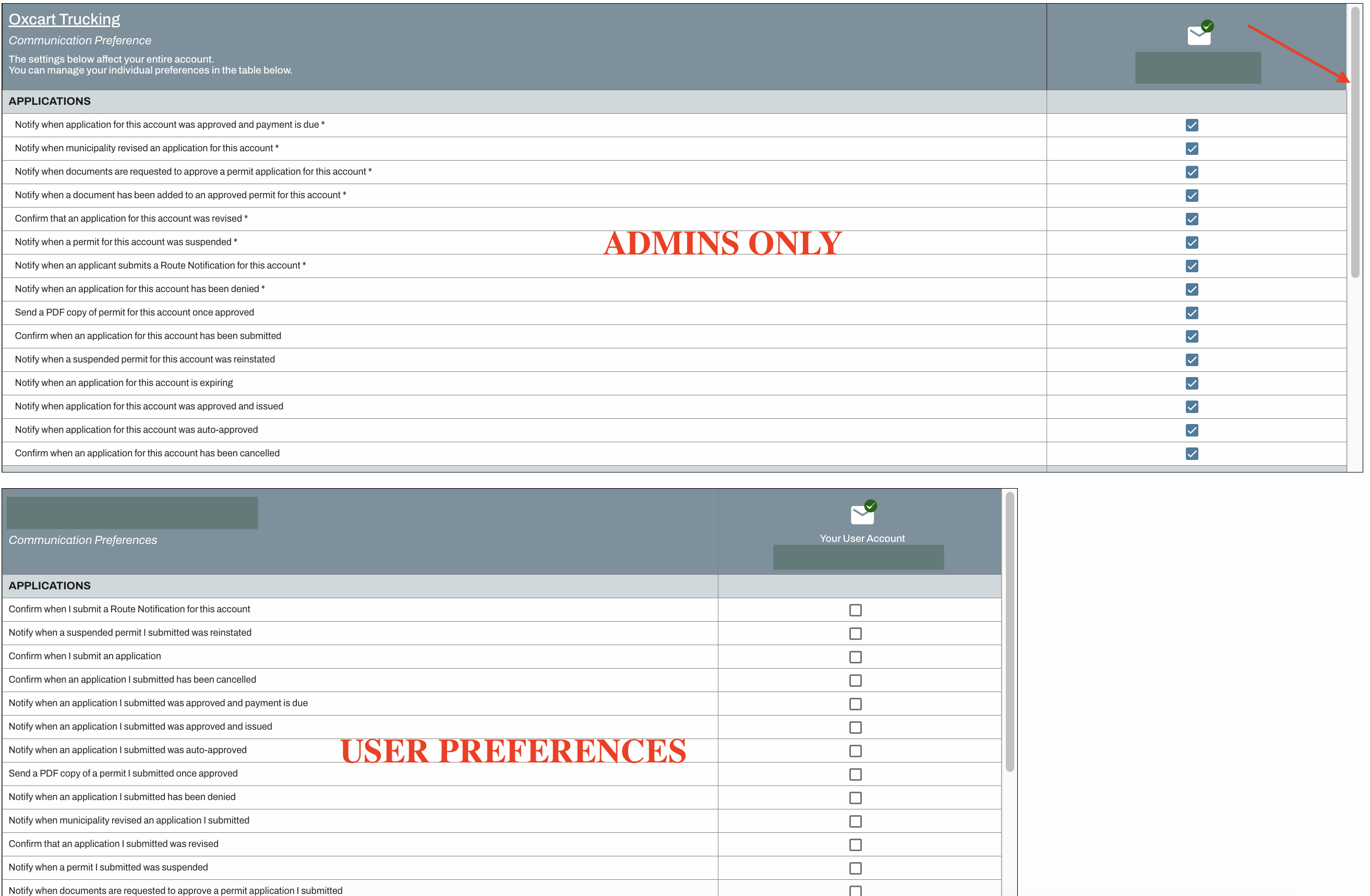
NOTE: Certain notifications are required to be received by at least one recipient. These notifications will turn red if there is not a user assigned, and you will not be able to save the preferences until a user has been selected.