

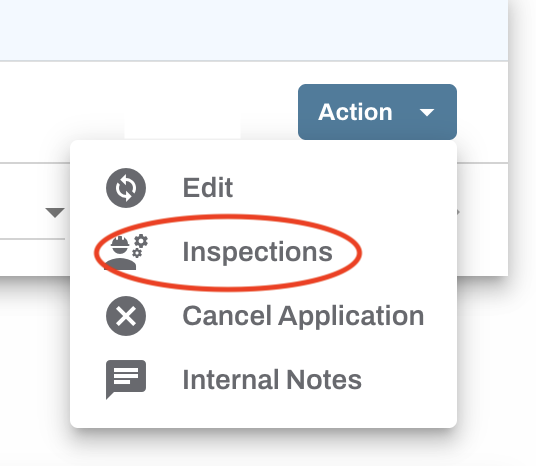
Inspections can be requested for both pending applications and previously approved permits. To request an inspection of your worksite, log in to your Oxcart account and open your dashboard. Locate the application or permit in question and click the Action button, then select "Inspections" from the dropdown menu. This will take you to the Inspection Center, where you can view existing inspections or submit a new request.
Click the "Add New Inspection" button to request a new inspection.

Complete all necessary fields and click “Save Inspection.”
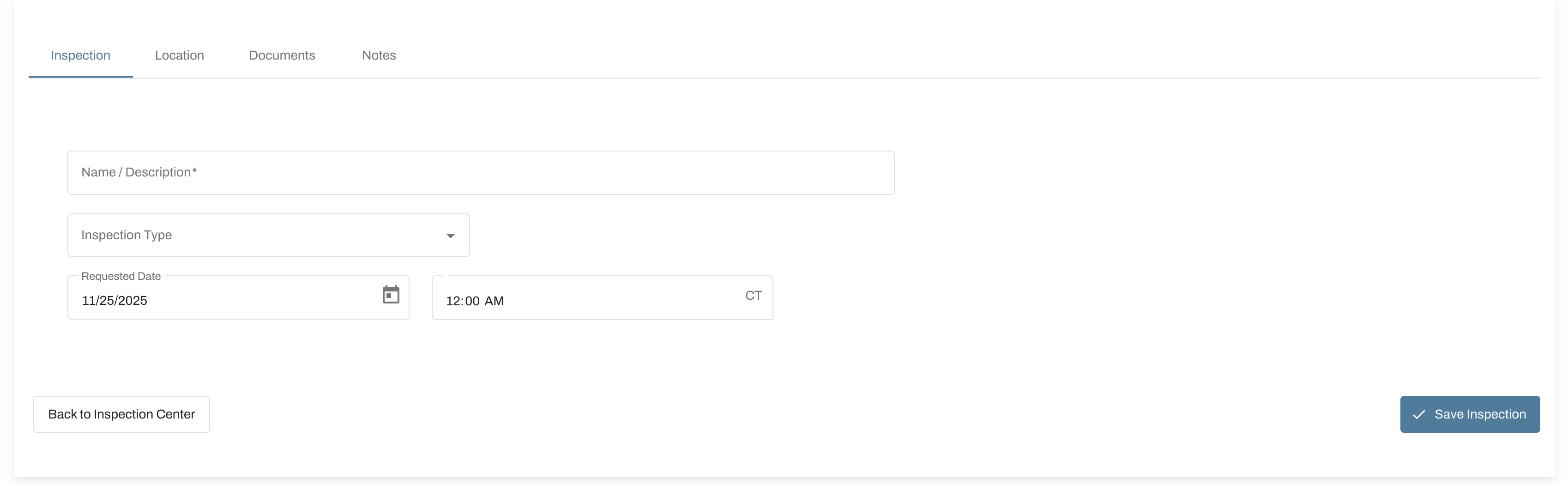
Once submitted, the municipality will be notified that your work is ready for inspection. They will review, schedule the inspection, and apply any necessary fees, which are determined by the municipality—not by Oxcart.
Visit the Inspection Center to monitor progress, update your request, or print a copy for your records.