

Refunding a permit fee to an applicant is entirely within your discretion. Municipal administrators and managers possess the appropriate user permissions to authorize and process refunds.
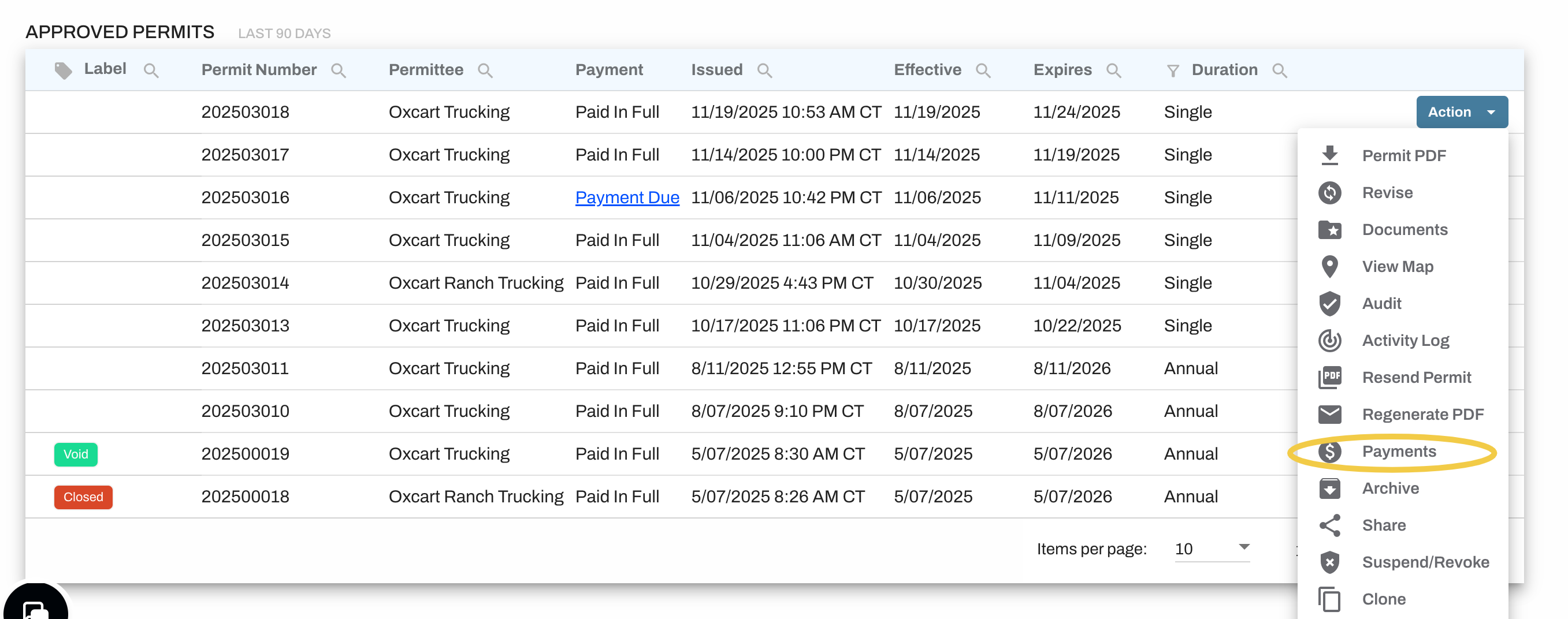
After the permit is approved and payment has been processed, navigate to the Action menu and select "Payments" from the drop down menu.
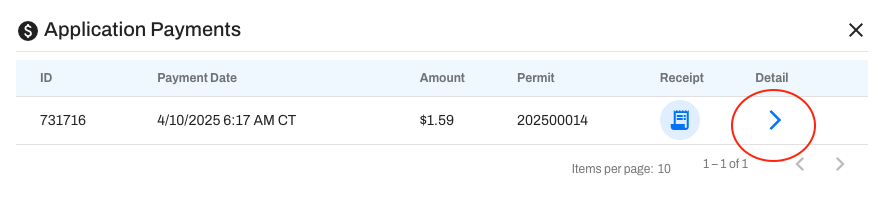
Selecting this option opens a window displaying all payments associated with the permit. By clicking the blue arrow under "Detail," you can view specific information about the payment.
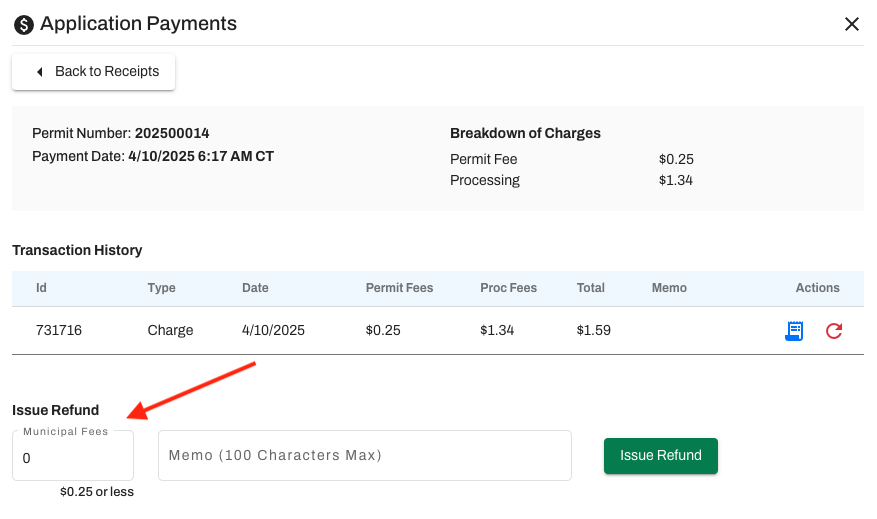
This screen also allows you to issue refunds for any amount, up to and including the total permit fee. Enter the refund amount, provide a short memo, and click "Issue Refund" to finalize the process. Once completed, a second receipt for the refund will be accessible from the Payments screen.
Keep in mind that Oxcart fees and credit card charges are non-refundable. These fees will only be reimbursed if the system is responsible for an error.
IMPORTANT INFORMATION ABOUT REFUNDS:
All refunds will appear on the monthly statement.
Applicants are required to reach out to you directly with refund requests. Oxcart will not process refunds on your behalf.