

Oxcart has built a comprehensive communication platform that gives users maximum flexibility in receiving notifications throughout the permitting process. Account administrators, managers, and approvers can assign notification preferences for recipients. Communication preferences must be set per permit module.
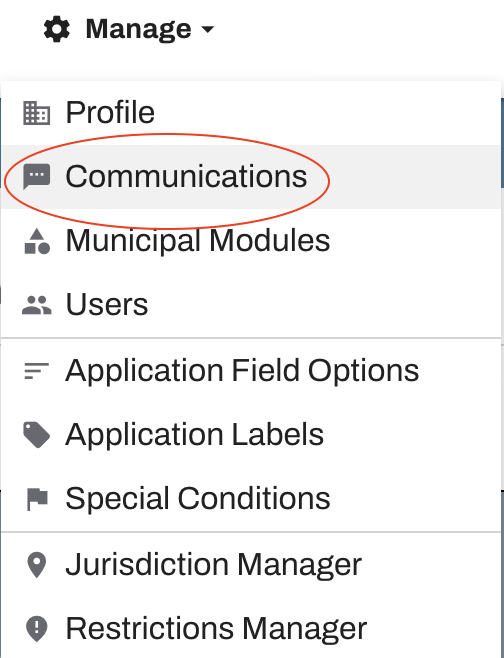
To access the Communications page, log into your Oxcart account, hover over Manage at the top of the screen and select "Communications" from the drop-down menu.
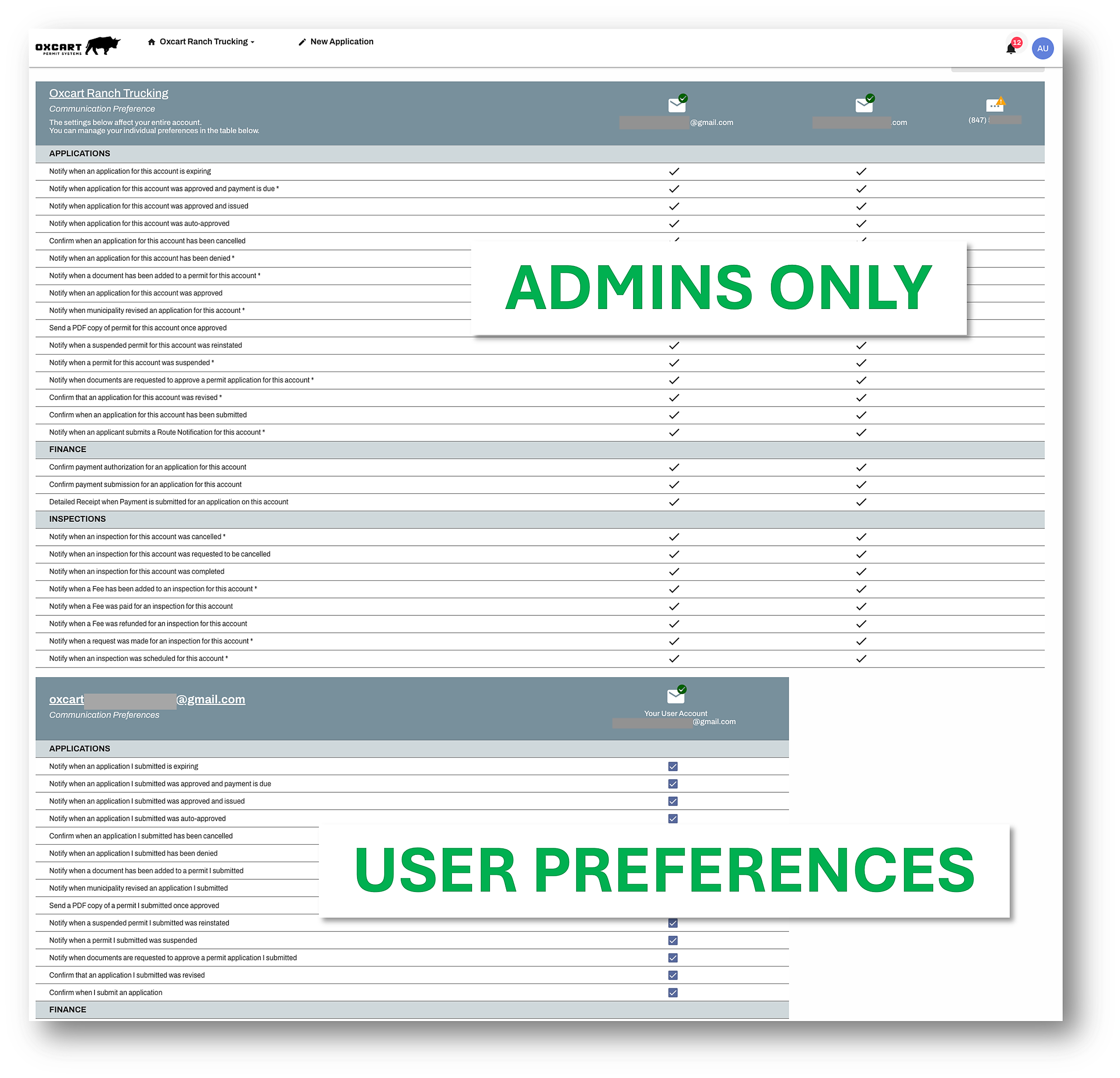
On this screen, you can select or deselect the boxes for the notifications a recipient should receive. The upper section of the table covers account‑level activity and can only be modified by users with the appropriate permissions. The lower section covers user‑specific actions and may only be updated by the individual user.
PLEASE NOTE: Certain notifications are required to be received by at least one user. These notifications will turn red if there is not a user assigned, and you will not be able to save the preferences until a user has been selected.
Due to federal communication regulations, as well as requirements from phone carriers and email providers, all Oxcart users must now actively opt in or opt out of communications.
SMS Text Message Notifications Users who want to receive text message notifications must opt in. Messages will not be delivered unless the recipient has completed this step.
To learn about adding new text message recipients, please click here.
Email Notifications Existing users who were already receiving email notifications do not need to opt in again—their settings remain in place. New users, however, must opt in to receive the email notifications they want.
To learn about adding new email recipients, please click here.