One of the challenges of any web application is writing code to comply with dozens of different web browsers. Each browser has multiple versions and settings which yields thousands of variables. Oxcart Permit Systems has been written and extensively tested to work best with the most current versions of Mozilla Firefox, Google Chrome, Apple Safari, and Microsoft Edge.
****INTERNET EXPLORER MAY NOT BE USED. ****
If you are having problems with the functionality of Oxcart on your computer using the latest version of these browsers, please use a private browsing window, or make sure to clear your cache and restart your browser. This document will show you how to clear cache using the latest updated versions of Firefox, Chrome, Safari, and Edge. Please keep in mind it may be necessary to close your browser and re-launch for changes to take effect.

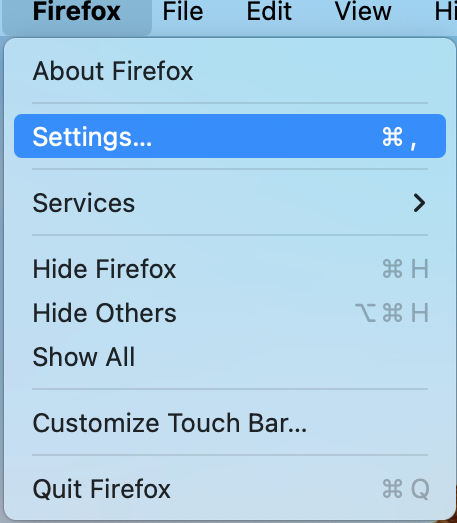
Mozilla Firefox
Open the Firefox menu and select Settings.
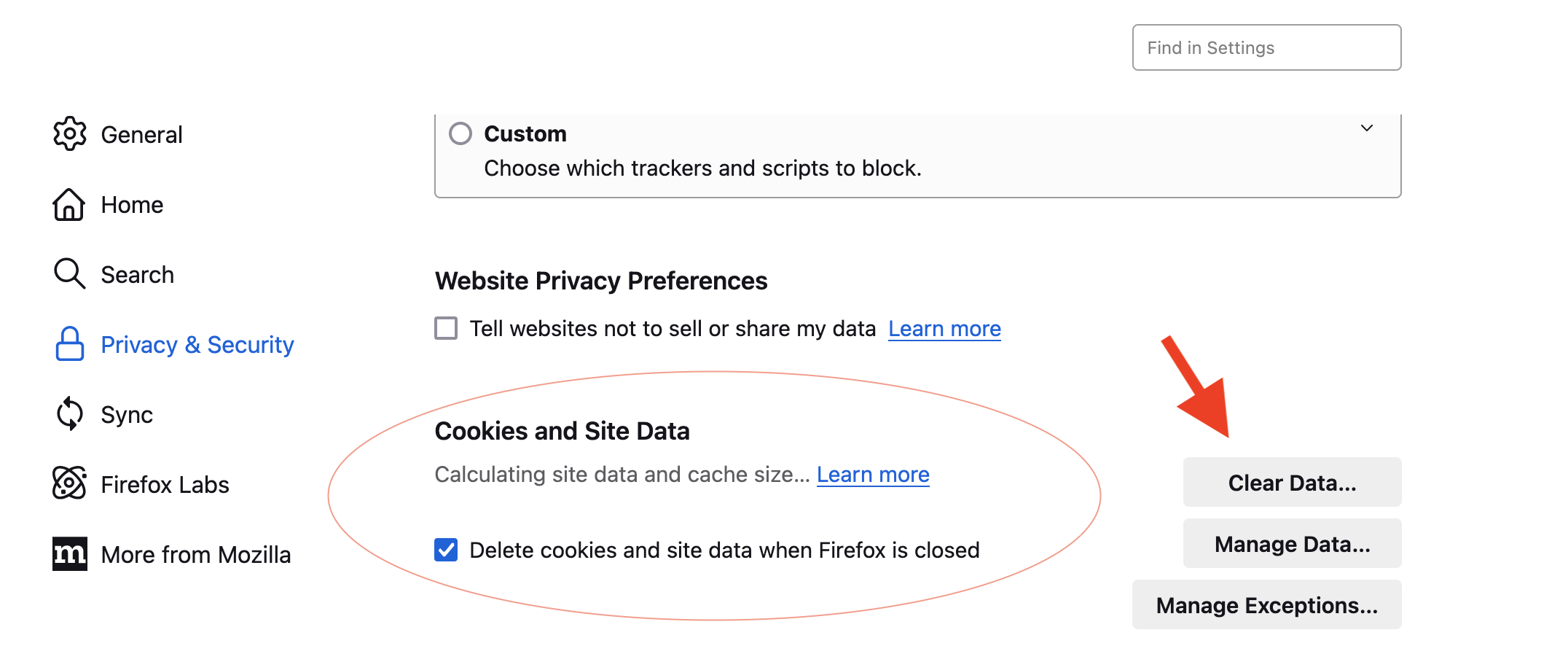
Highlight Privacy & Security.
Scroll down to Cookies and Site Data.
Click the Clear Data button on the right.

Google Chrome
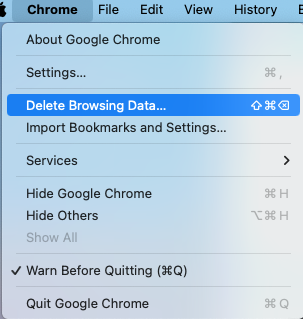
Open the Chrome menu and select Delete Browsing Data.
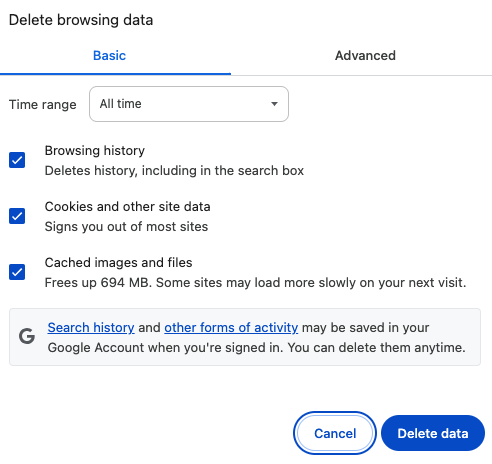
Choose All time from the time range drop down menu.
Check all boxes and click the Delete Data button.

Apple Safari
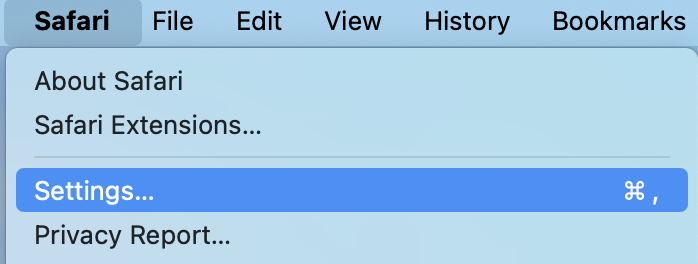
Open the Safari menu and select Settings.
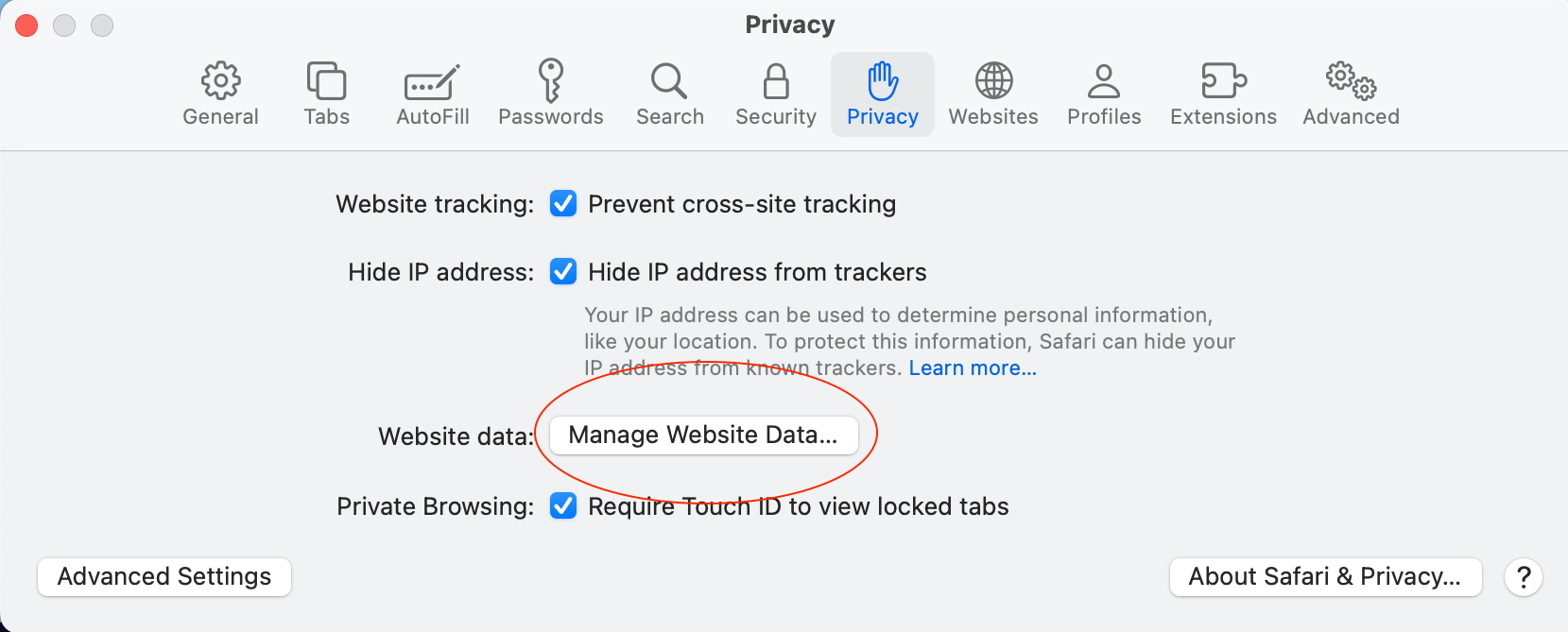
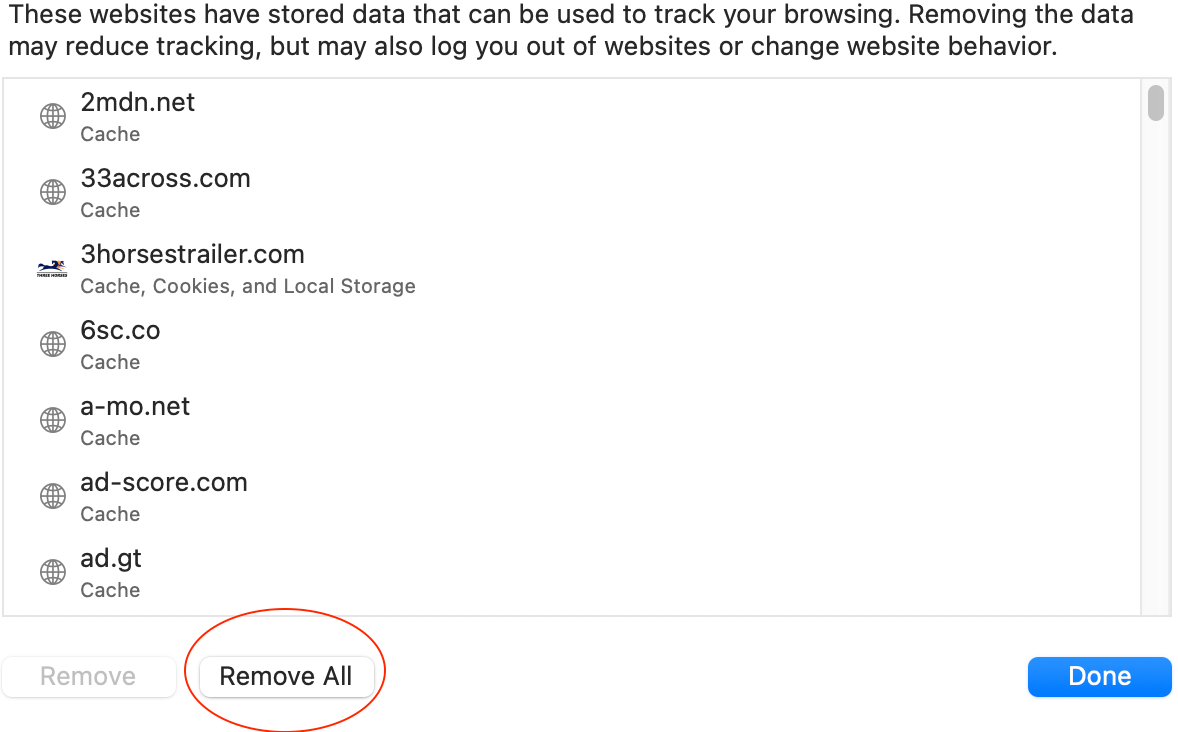
Highlight the Privacy tab and click Manage Website Data.
Click Remove All at the bottom left and then Done.

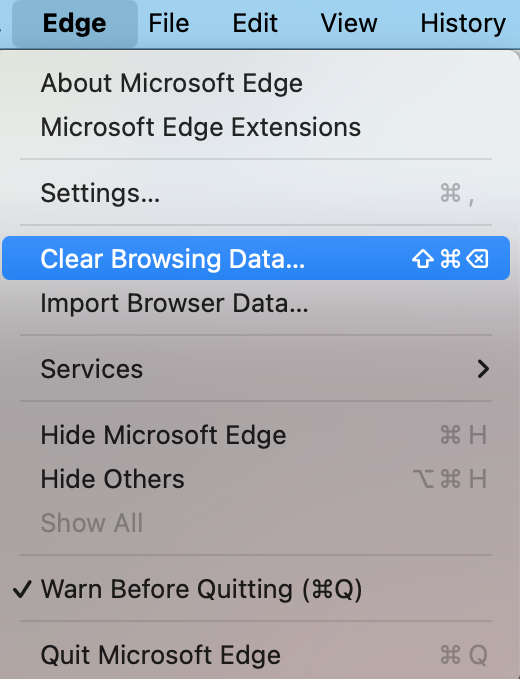
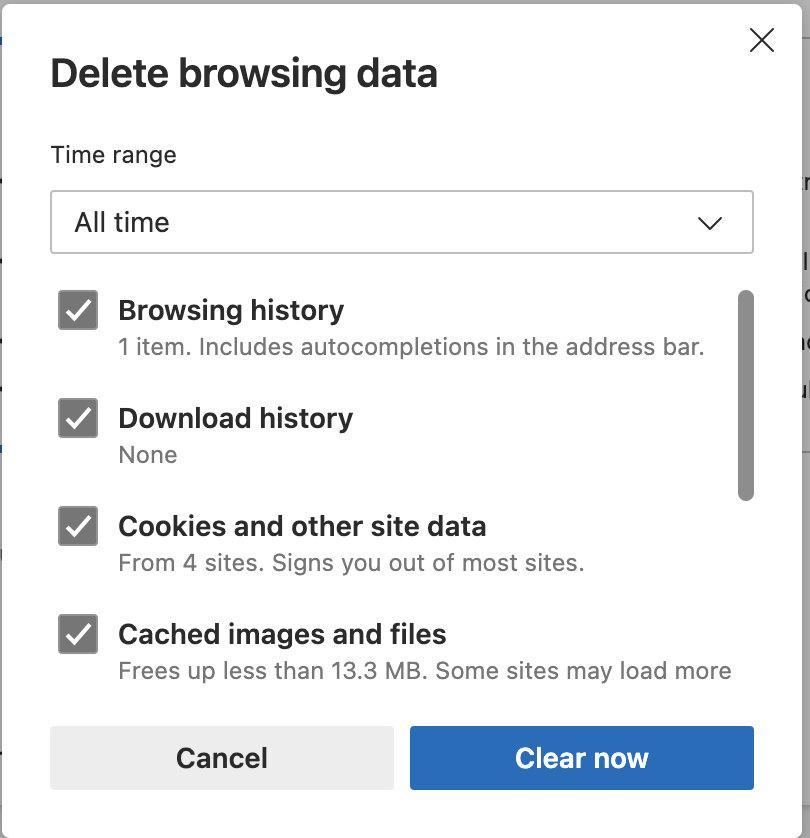
Microsoft Edge
Open the Edge menu and select Clear Browsing History.
Choose All time from the time range drop down menu.
Check all boxes and click the Clear Now button.