

Our Document Center offers a host of useful features. Access the document center by hovering over your account name and selecting Documents.
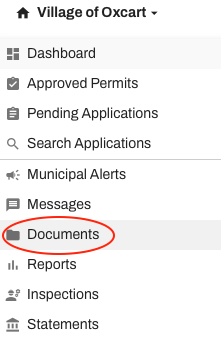
The document center opens a table of existing documents.

Filter documents by permit number, date, or applicant name.
Sort documents by any of the columns listed.
Copy, download, hide, and edit documents.
Click on +Add Document to upload a new document. Add notes, both internal and public notes visible the applicant, to documents.
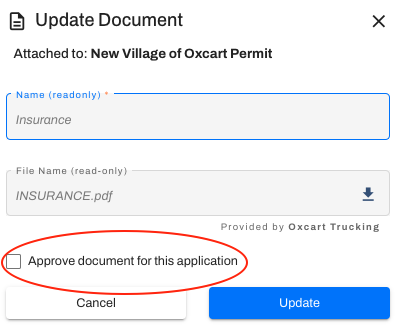
When an applicant uploads a document, or multiple documents, you also have the option to mark a document as approved. This does not effect the application status, it is simply an indicator for which document(s) you'll be referring to and holding the applicant accountable for. For example, if multiple copies of plans are submitted you can mark the final plans "Approved" so the applicant knows the specifications you are allowing.
TIPS WHEN UPLOADING DOCUMENTS:
Upload documents up to 10MB. Documents larger than 10MB will need to be split into smaller documents or zip filed.
Be specific when naming your documents. You are able to upload multiple documents with the same name.
The document library will not allow you to upload the same document twice, even if it has a different name. Oxcart will recognize the metadata and reject the upload.