

You can attach documents at any point in the permitting process—either during the initial application or afterward. Upload as many documents as needed. Once a document is uploaded, it is automatically saved to your Document Library, allowing you to attach it again in future applications without re‑uploading.
TO ATTACH DOCUMENTS WITHIN THE APPLICATION
Oxcart customizes permit applications for each municipality based on its review process, so the upload fields may vary from one application to another. However, as you move through the permit application, you will come across fields where you can upload documents. Click “Upload file” to get started.

You have two options when uploading documents.
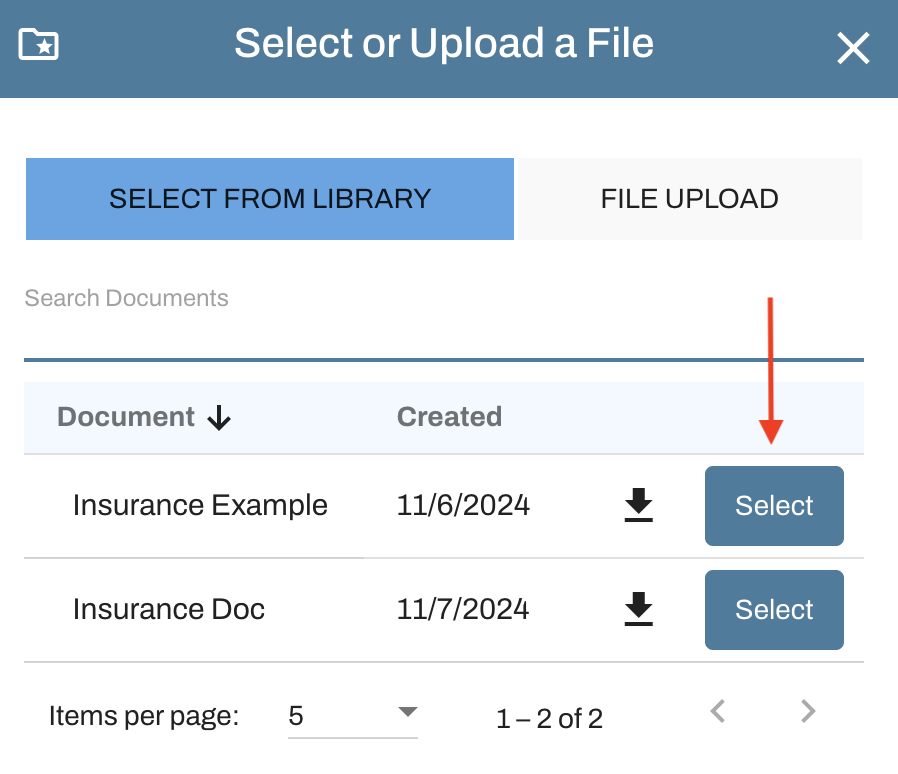
Select a document from your library: Use the search field to narrow the list, locate the document you want, and click "Select" to attach.
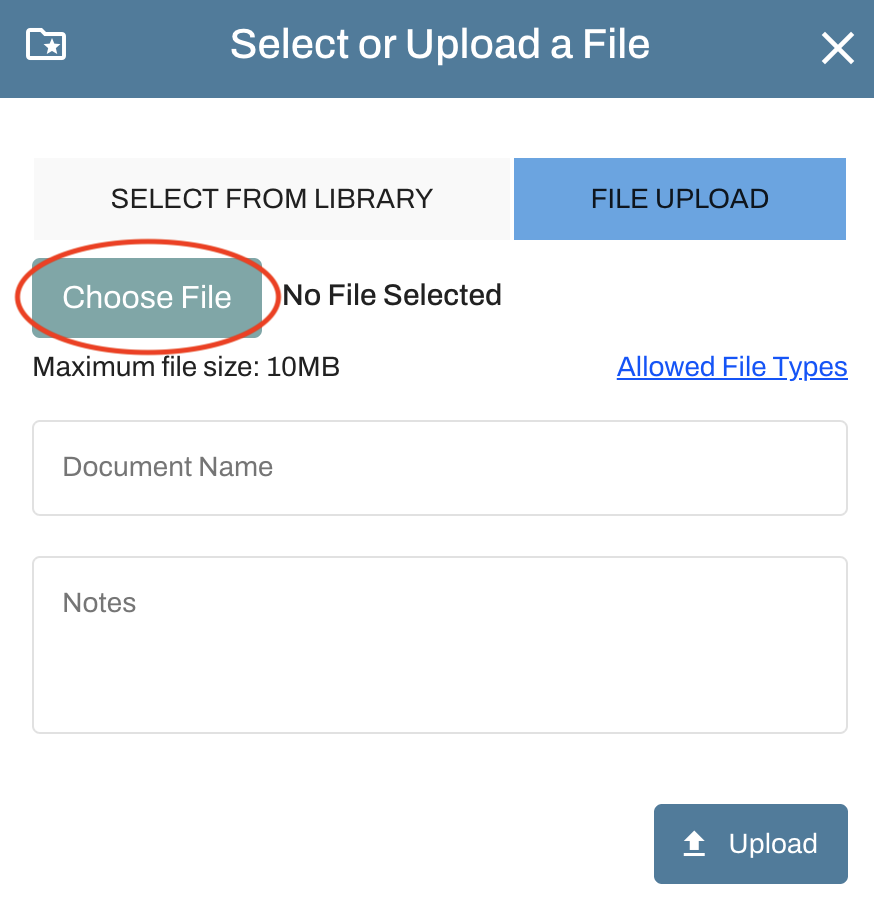
Upload a new document: Click File Upload, then "Choose File" to pick a document from your computer. After selecting it, click Upload. You’ll return to the attachment screen, where you can edit the document name and add notes before clicking Upload again to finalize the attachment.
Remember to save your application if you’re not ready to submit it to the municipality for review.
TO ATTACH DOCUMENTS TO A SAVED APPLICATION OR APPROVED PERMIT
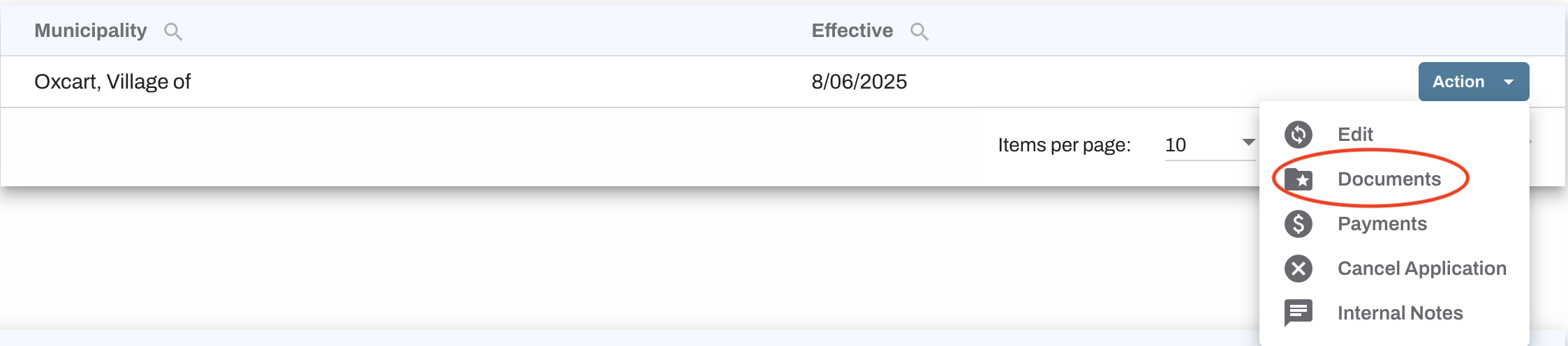
If you have an application saved in your Drafts Table or a municipality has requested additional documents for a pending or approved permit, you can attach them using the Action button. Locate the relevant application or permit, choose Documents from the Action menu, then click Add Document and follow the steps outlined above.

TIPS FOR ADDING DOCUMENTS
You can upload documents up to 10MB. Files larger than 10MB will need to be split into smaller parts or compressed into a zip file.
Use clear, specific names for your documents. You can upload multiple files with the same name if needed.
The system will not allow the same document to be uploaded more than once, even if the file name is changed. Oxcart identifies duplicates by their metadata and will reject them.