INTERNAL NOTES
Towards the bottom of every permit application, you'll see an "Internal Notes" field. Information entered in this box will not be submitted to the municipality. This box can be used to track useful data when submitting your applications or reviewing your permits.
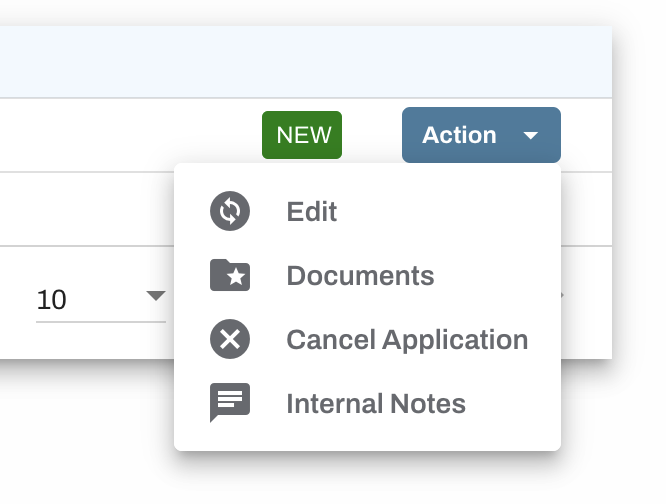
Internal Notes can be accessed via the Action menu, for pending applications, approved permits, and denied permits.
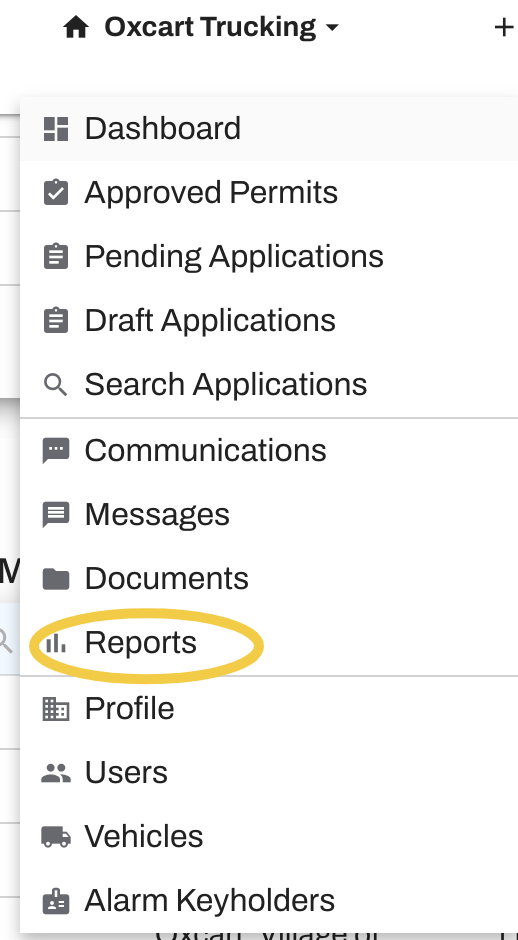
You can also run a permit report from your dashboard to view all internal notes. Hover over your account name at the top of your screen and select "Reports" to get started.
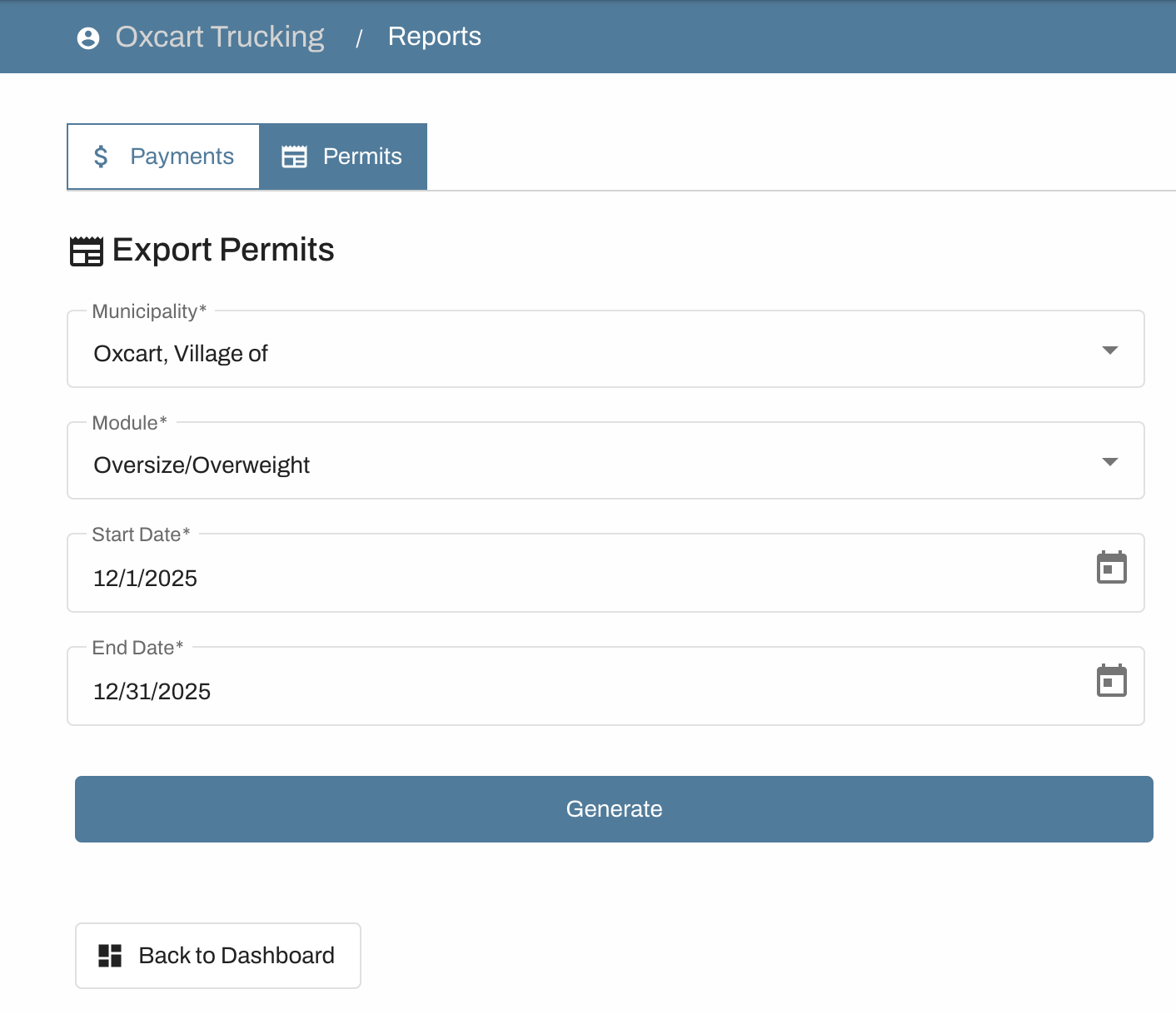
The "Permits" report will download a spreadsheet of all permits ordered for a particular municipality. Each field from their application will be displayed in a spreadsheet, including the internal notes field. Enter the desired date range and municipality, as well as your desired module. You must select a municipality for this download. After you have filled out the required fields, select "Generate." When your report is complete you can download it. You will be able to sort the data as needed within the spreadsheet.
MEMO
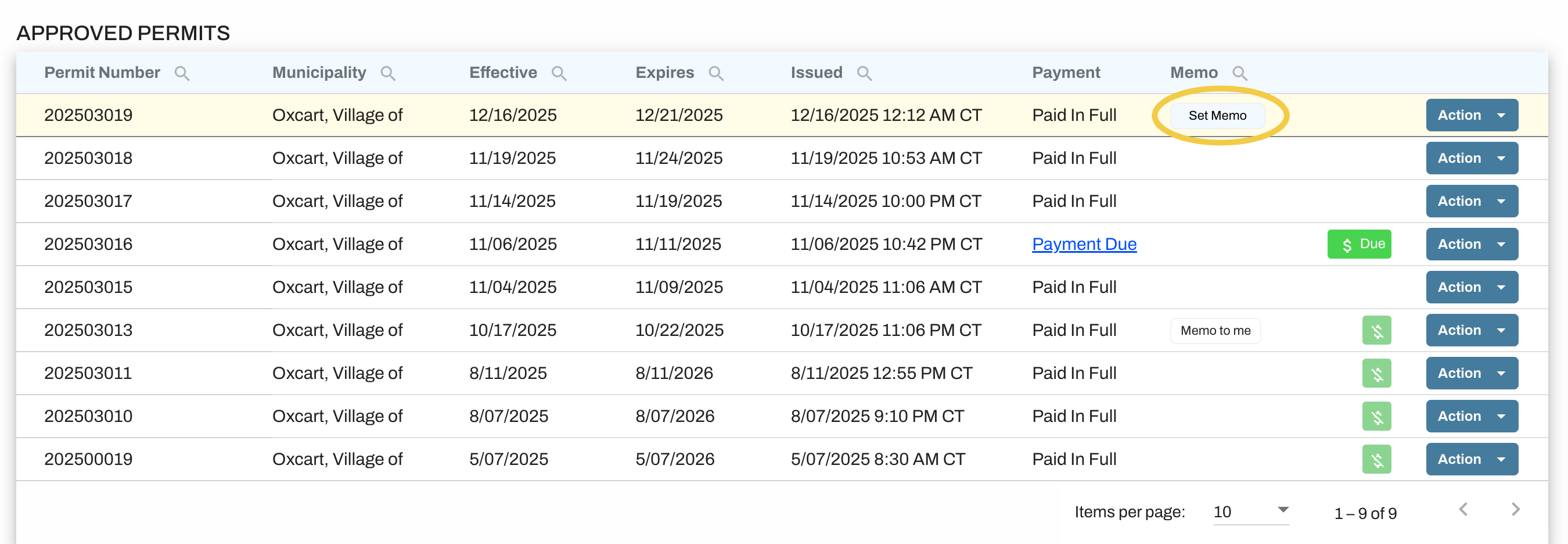
You also have a Memo field on your applications that correspond with the column on your dashboard. This field may be used to keep helpful information about the permit easily accessible. You may add to the memo field when filling out your application. You may also add to this field directly from the dashboard.
To add a Memo from the dashboard hover over the column and select Set Memo. If you need to edit an existing memo you may do so by clicking on the memo text.