

If you do not remember your password and need to access to your Oxcart account, please use the "Forgot Password" button on the login screen to reset your password. Password reset emails will include a time-sensitive one-time passcode. Be sure to have access to your email and check your spam/junk folder.

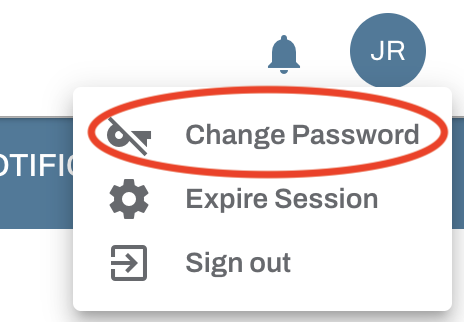
If you are able to access your account and would like to update your password, you may hover over the initials circle in the upper right corner of the screen and select Change Password.
IMPORTANT INFORMATION ABOUT PASSWORDS:
Account administrators can force password resets or send password reset emails from the User page Action menu.
To increase security, Oxcart recommends changing your password every 90 days.
Minimum password length is 8 characters and you may not use your last password.